
Hi all, another game update is now out, let’s take a look at what’s new…
Explosives
I think it’s true to say we all enjoy creating and building things here. But sometimes it’s fun to blow stuff up too!
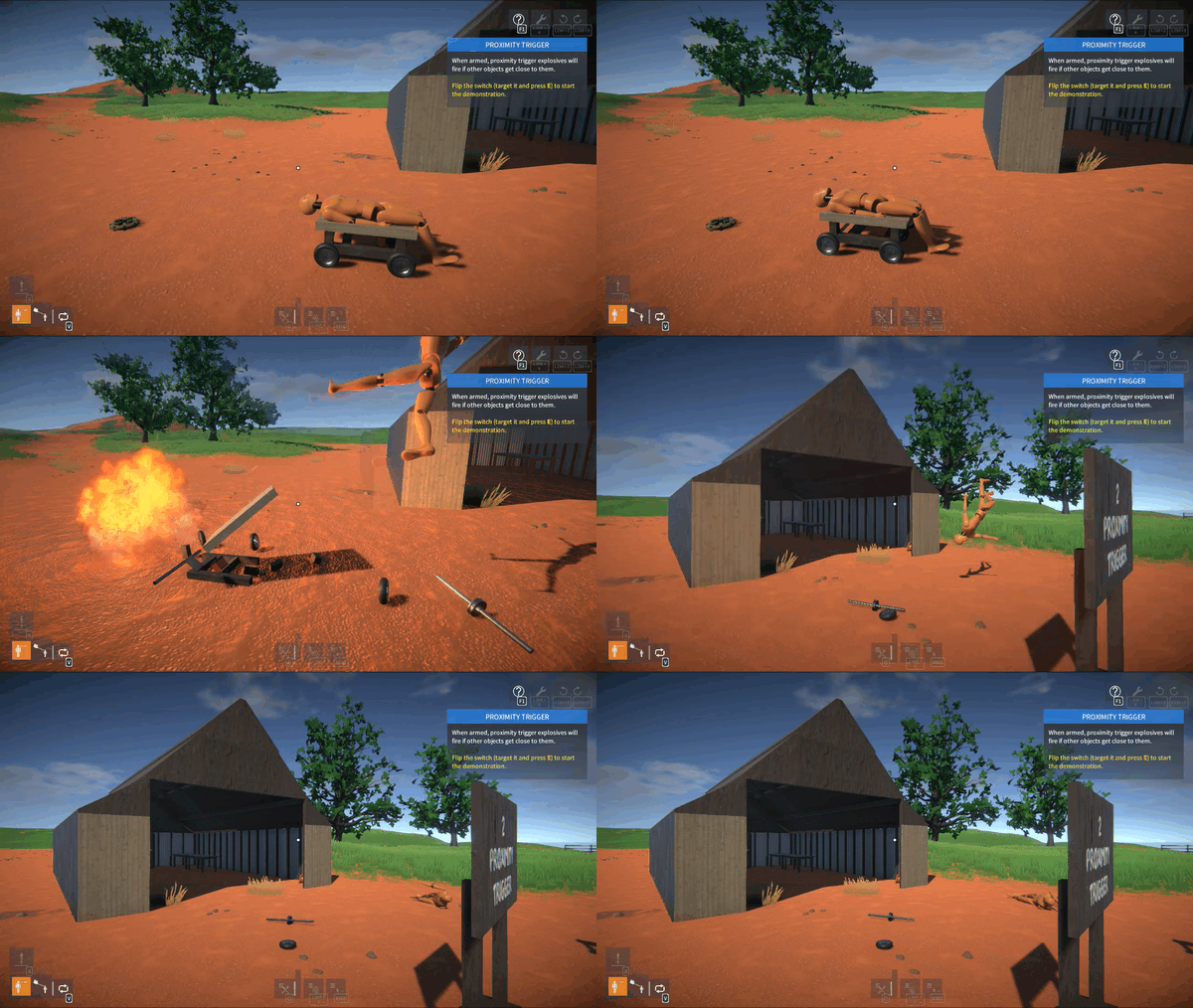
Triggering
There are now a selection of explosive parts in the game:
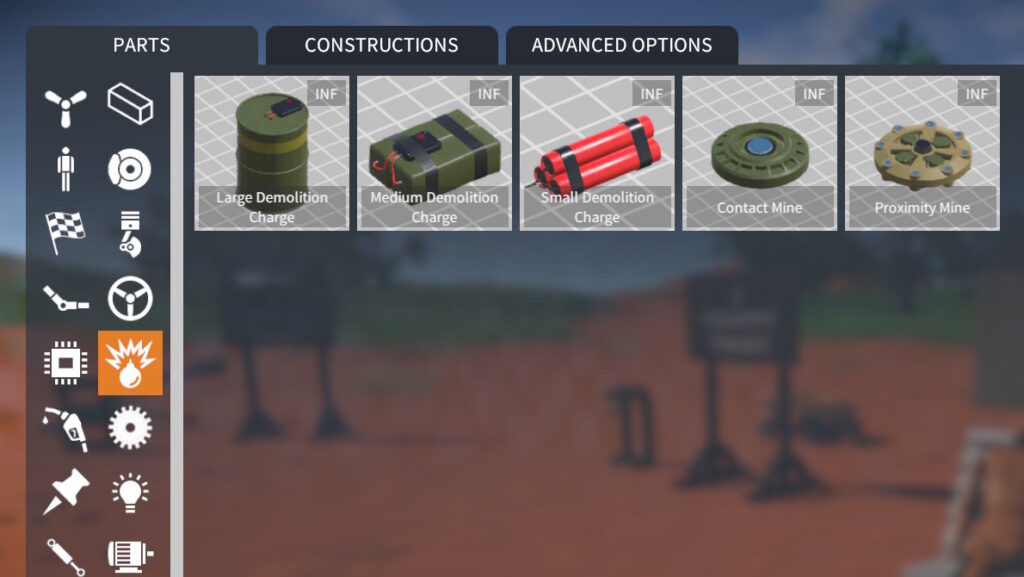
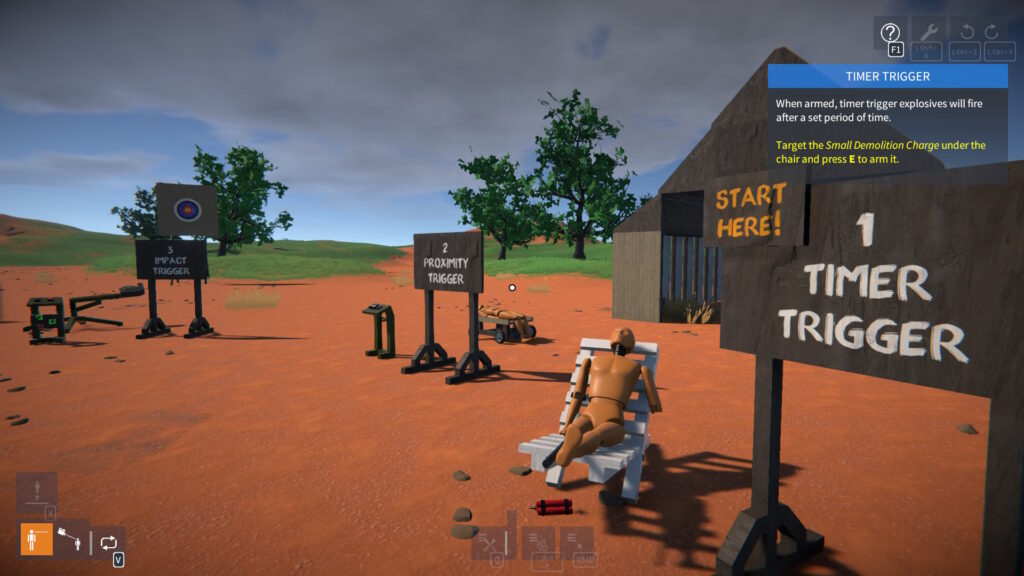
They can be grouped into three categories based on how they trigger: timer, impact, and proximity.
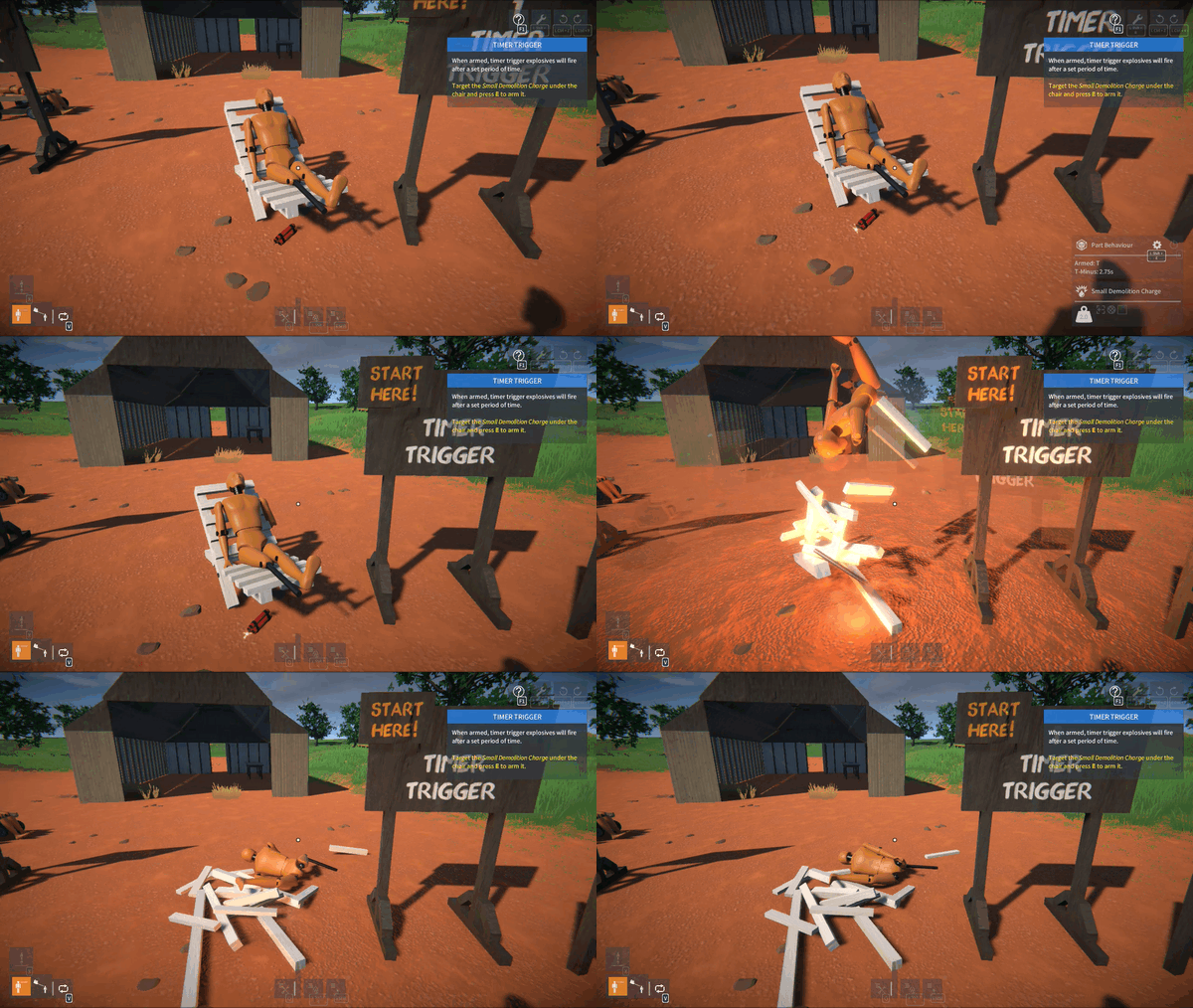
Timer Trigger:-
- Small, medium, and large demolition charges.
- Trigger time (in seconds) is tweakable.
- When armed, explodes when trigger time has elapsed.
Impact Trigger:-
- Contact mine.
- When armed, explodes when contacted by another object (construction or player) with sufficient force.
Proximity Trigger:-
- Proximity mine.
- Trigger distance (in metres) is tweakable.
- When armed, explodes if another object (construction or player) is within the trigger distance.
Arming
To arm an explosive, target it (aim the crosshair at it) and press E. You can press E again to disarm.
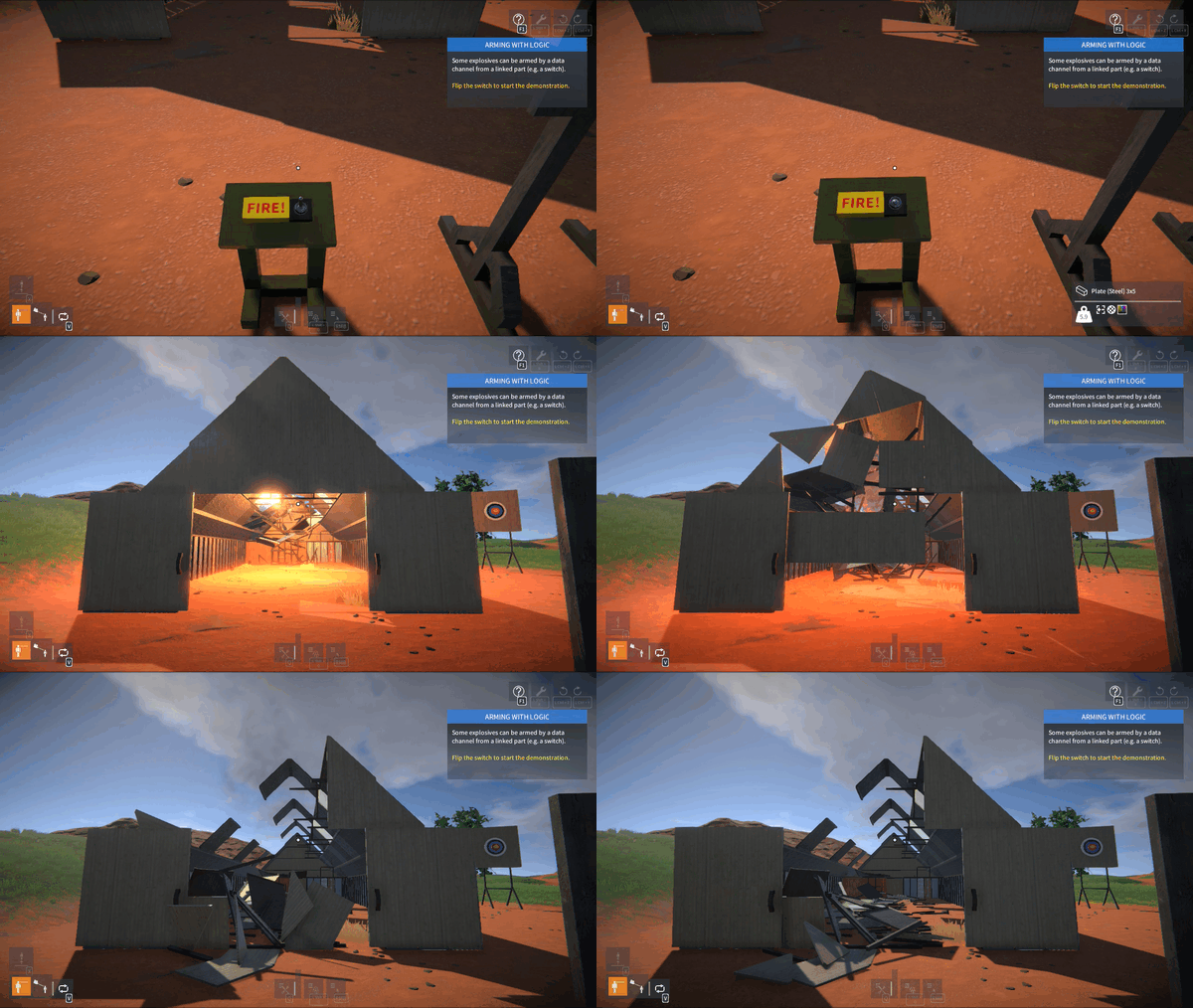
You can also arm some of the explosives (the medium and large demo charges) with logic via a linked data channel.
Getting Started
There is a new Demolition Zone scenario in the game. I’d recommend starting there for a quick demonstration of how the explosives work.
Construction Invulnerability
When using explosives to blow up your own constructions, you will probably want to turn off invulnerability so that parts can break off.
This can be done in the construction menu, target your construction, press Left Shift + Q and click the “shield” button to toggle invulnerability:

Further Ideas
Here are some ideas for more explosives that could possibly be added:-
- Timer trigger: hand grenade.
- Impact trigger: impact grenade, mortar shell.
- Explosive charge. This would be a slightly different type of explosive that would push nearby objects in a linear direction. Could be used for making canons etc.
I’d love to hear your feedback first though, so let me know what you’d like to see.
Damage Recovery
With all this destruction, it would be nice to repair constructions without having to reload saves. Well now you can!
If constructions are damaged (i.e. parts are broken off) either from explosives or regular impact damage, they can be repaired by pressing Left Shift + R.
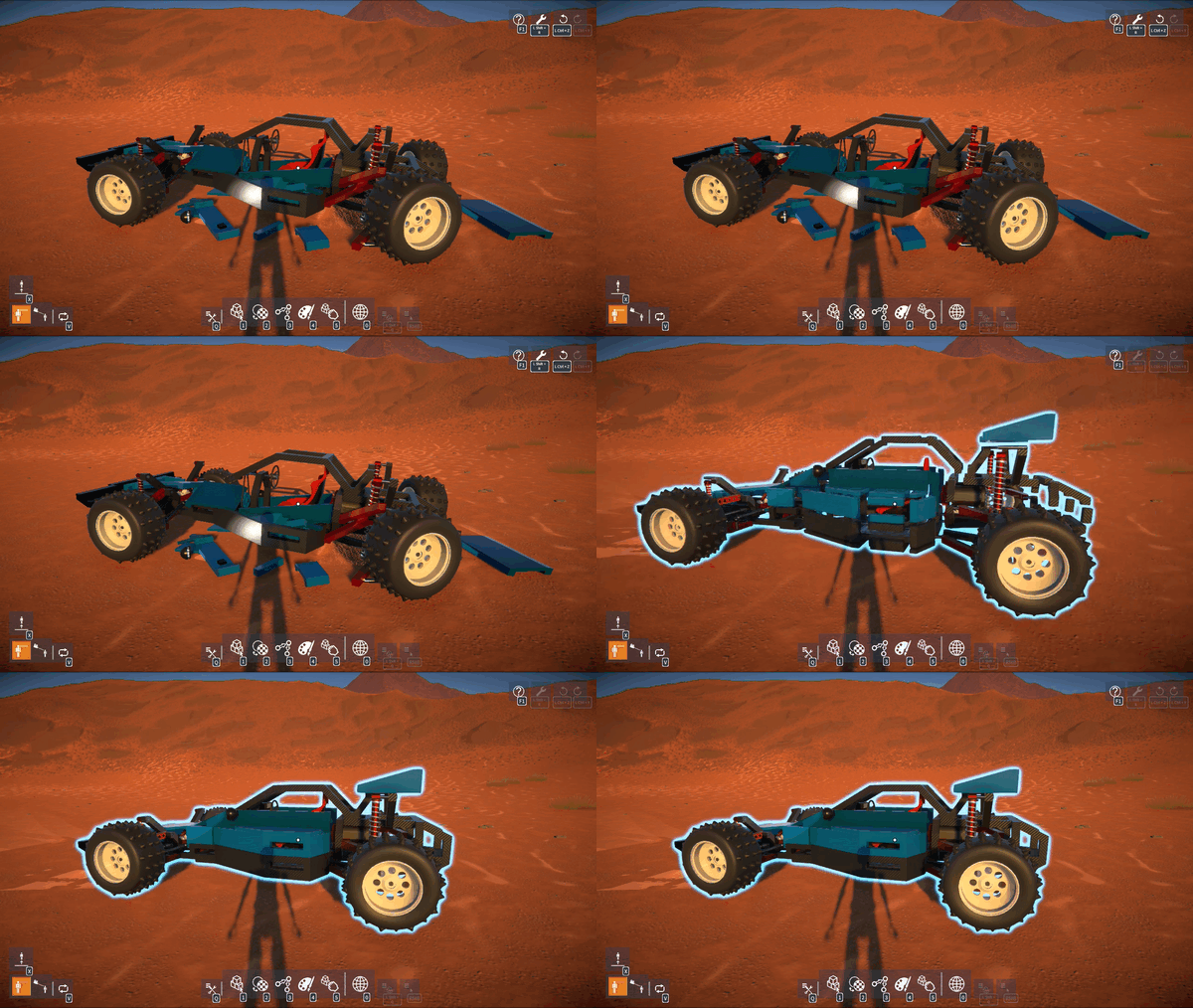
CAUTION: If you attach, detach, or delete parts, any prior damage will no longer be recoverable.
If damage recovery is unavailable, this icon at the top right of the screen will be greyed out:
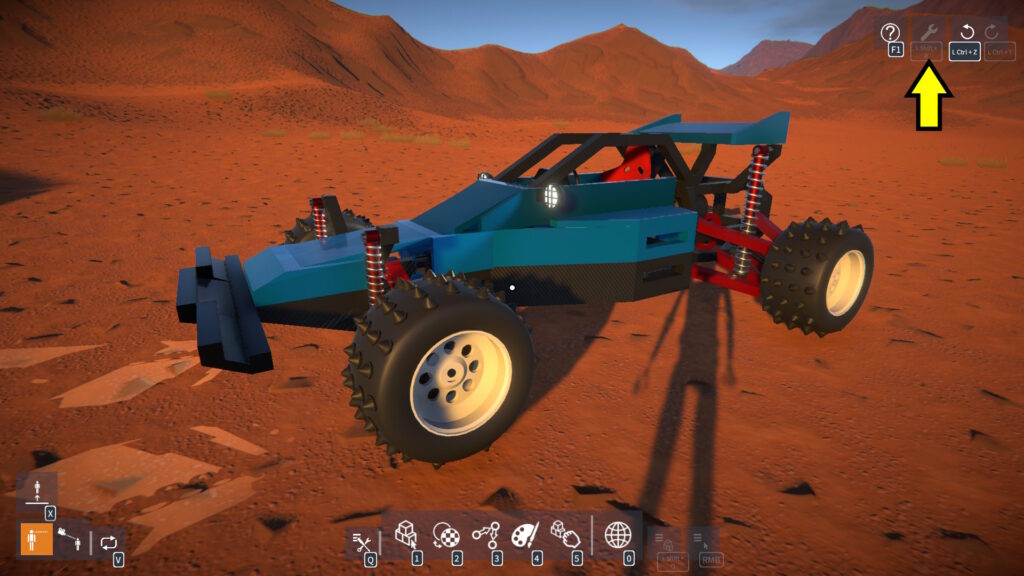
MORE CAUTION: Damage recovery is a new feature and there may be bugs, so keep saving your constructions frequently too!
Gizmos
If your construction has parts attached at an angle, perhaps using the angle or V beams (e.g. for a Vee configuration engine), you may have noticed that the construction might freeze at an odd angle.
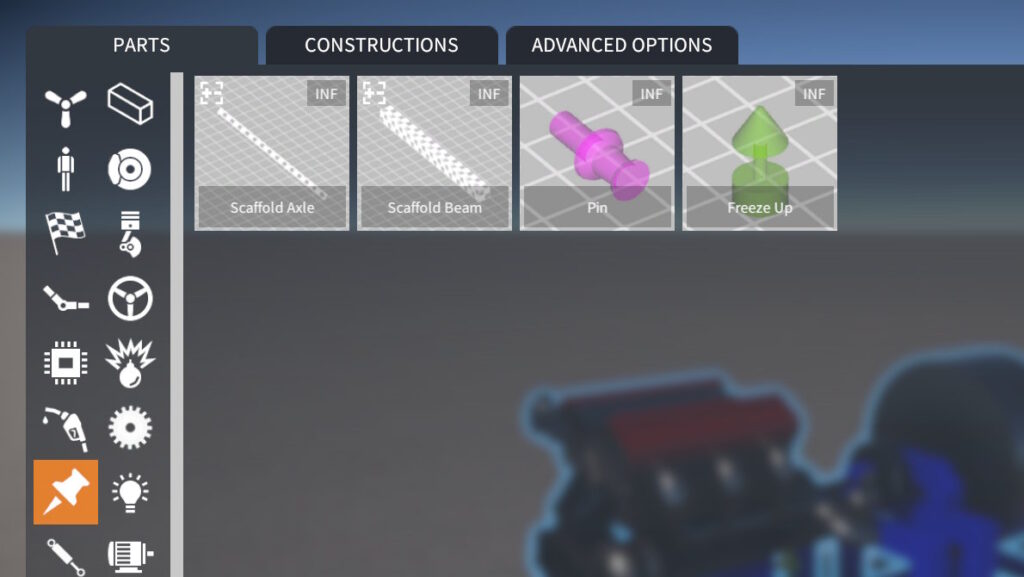
To solve this, there is now a new Freeze Up part (found in the Gizmos part category). Simply attach this to part of your construction that you want to face up when frozen:
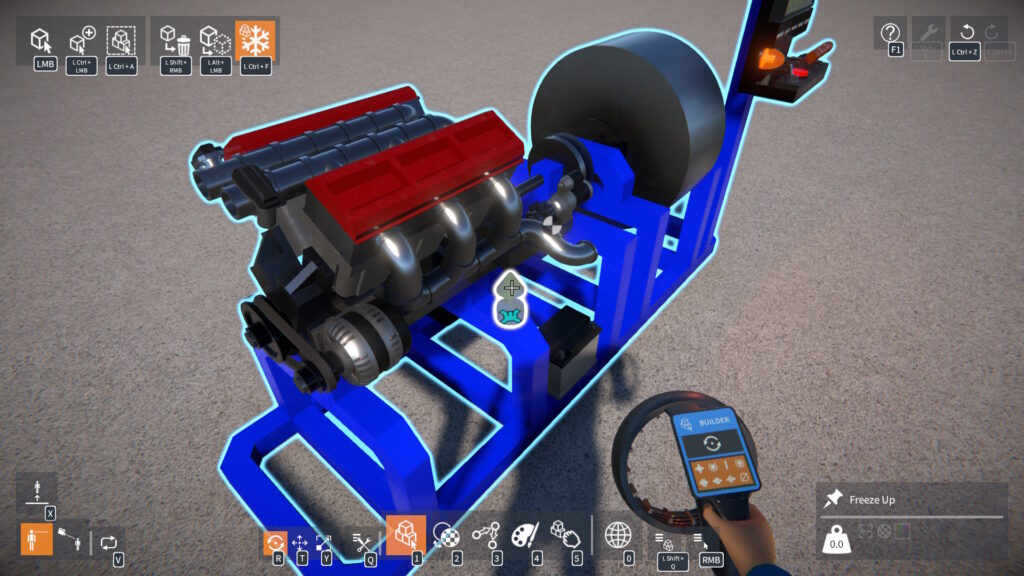
NOTE: Only one Freeze Up part may be attached to a construction.
Note that for better organisation, the scaffold and pin parts have been moved into the same Gizmos category:
32-bit Windows Build Removed
In order to simplify my build and testing process, I have removed the 32-bit Windows version of the game.
It’s pretty much redundant at this point, as I don’t believe anyone is using it (but let me know if that’s not the case).
Release notes:-
- Implemented damage recovery – after constructions are smashed apart, press Left Shift + R to repair.
- Added explosives and mines.
- New Demolition Zone scenario.
- Added more part behaviour tweakables:-
- Lights: beam range and angle.
- Distance Sensor: distance offset and hide laser beam effect.
- PID Controller: integral clamping.
- CV Joint (Outer): “plunge” distance (i.e. the in-out axial play).
- Gizmos:-
- Moved Scaffold Beam, Scaffold Axle, and Pin parts into new Gizmos category.
- Gizmo parts are now hidden when attached to an unfrozen construction.
- New Freeze Up gizmo part, attach it to your construction to define which way it should face up when freezing. NOTE: Only one allowed per construction.
- Lua scripting:-
- Added PivotPartSize property to IPartSelection for getting / setting the unit size of the currently selected part (if resizable).
- BREAKING CHANGE: Removed CommandHistory property from IToolbox interface…
- …Instead access the undo / redo history via the UndoHistory global, for example: UndoHistory.UndoAll().
- Bug fixes.
- Upgraded to Unity 6000.0.81.