New part behaviour controls

It has been a while since my last update, too long in fact, so there are quite a few things to talk about!  First off, I have improved player control over “part behaviours”, in particular this applies to the electric motor.  As before, you hover over a motor and hit use to switch it on or off.  However, unlike before it won’t immediately start running when switched on.  Instead, it is activated by your directional controls (i.e. WASD), when shift is held down.  To configure these controls, you hold shift+use while hovering over a motor to bring up a config screen (see the first image above), this lets you map either the vertical or horizontal directional controls (i.e. either W/S or A/D) to drive the motor.  The upshot of all this is that you can for example build a car with one motor driving the wheels (mapped to directional – vertical), a second motor moving the steering (mapped to directional – horizontal), and then (while holding down shift) drive it around with WASD.  You don’t necessarily have to be in or on the vehicle to drive it, it behaves more like a sort of remote control.

Seats, gears and lights

I have also added some new parts to build with.  First up, a new seat part that you can attach to your constructions, when you hover over it and press use, you “sit” in the seat.  You’re locked into position, but can still mouse-look (see second image above).  This is very handy for vehicles that you want to drive around in without falling off!  To escape the clutches of your seat, just hover over it, hit use again and you’ll return to normal control.  Also, I’ve added a new gear part type – bevel gears.  These let you transfer drive through 90 degrees (as an example, see the drive-shaft and axle setup in the last picture above).  Finally, I’ve added some new light parts, and a few other bits and bobs.

That’s it for this update, the next one will be coming very soon!
Menu system overhaul

New menu look and feel

Recently I have completely overhauled the menu flow, and re-skinned it (still placeholder art for now), it should be much nicer to use now.  I’ve also started adding additional stuff, such as the options screen (currently only graphics options are functional).  You can check it out in the web build at the usual link.

Next up – new game modes

The most exciting benefit of these menu improvements is that it makes it easier to start hooking in new game modes.  Currently there’s only the basic open sandbox mode, but soon I will be experimenting with other game modes that build on top of the core construction game-play.  More news on this soon hopefully!

Save game update

Save / load for inventory and player location

If you run the game from the usual link, you’ll find it now has save game support for your inventory and player location!

The same multi-player limitations still apply (you can only save / load from the server machine, and it only saves the inventory & location for the server player).  I still need to figure out a robust design for how saving client player data should work.

Parts inventory – images added

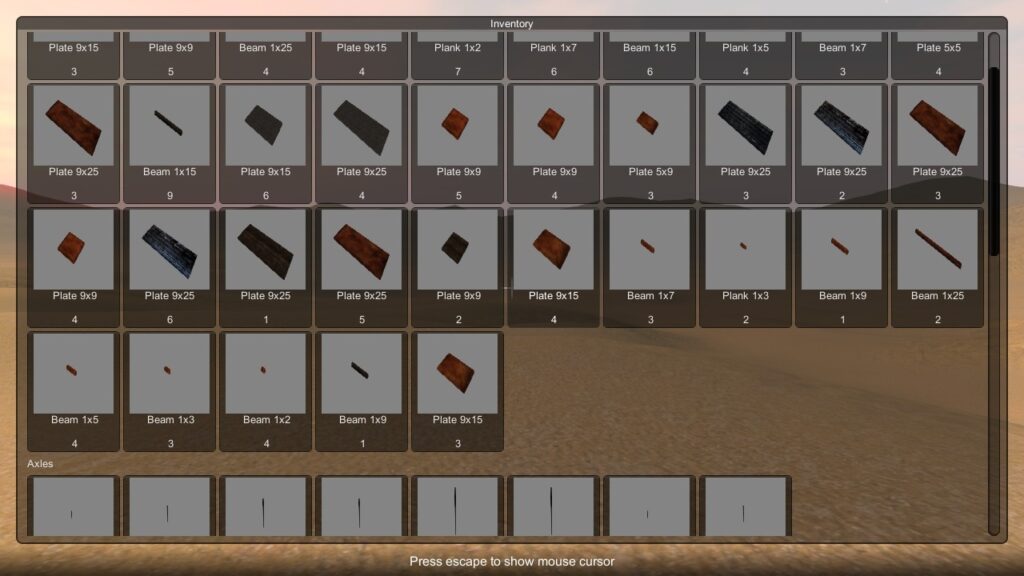
The inventory screen now has a preview image of each part.  I still need to re-scale the view based on part size, as small parts are a little difficult to make out, but I think this can wait until a fine tuning / refinement pass later on.

Next up, I’ll add save game support for the inventory, once that’s done the basic inventory system will be just about wrapped up.

Playable demo – updated

Playable demo – updated

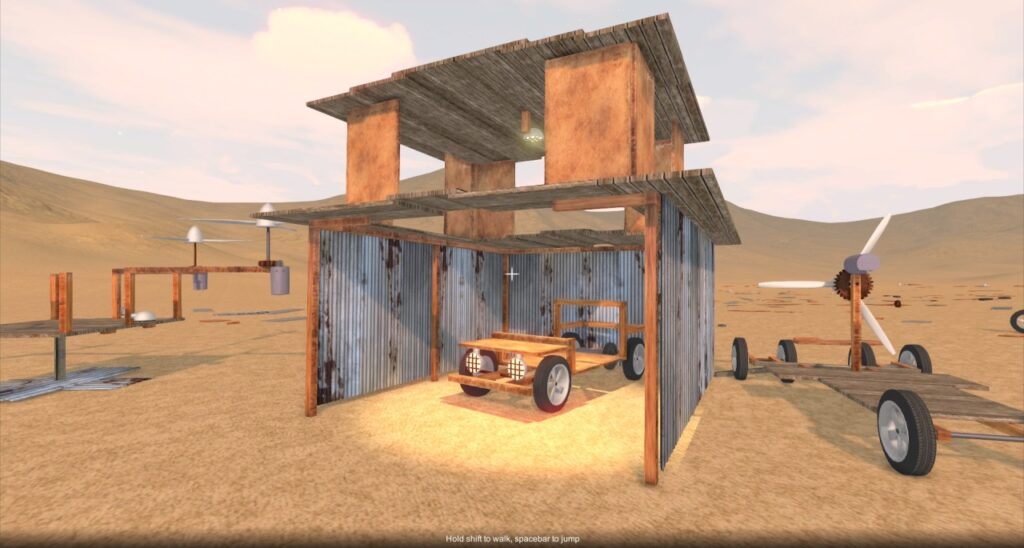
Now that you can save progress in the game, it somehow feels more worthwhile to build more stuff!  Here’s a rickety shed, with an assortment of machines…

At some point I’ll be adding the ability to rigidly attach blocks to the ground, for the purposes of constructing buildings (right now, they just rest on the surface and can still be nudged around by physics).

Playable demo – updated

Playable demo – updated

Multi-player avatar added

Now when you connect to a multi-player game, the other players see you as this guy.  Like all the assets in the game so far, he is just a placeholder, not representative of the final look.  Eventually I hope to have character customisation or at least a selection of characters to choose from, but this is this first step!

Playable demo

Playable demo