In this update I’ll briefly go over what I worked on last week. This week so far has been focused on bug fixes and preparing for another demo release which should be coming very soon!
Take a seat
Previously, when a player activated a seat, they would be “locked” into the seat by their transform being re-parented to the seat part’s transform, and their Collider / Rigidbody disabled.
This meant that the player would suddenly seem to have no mass, having no weight exerted on the seat.
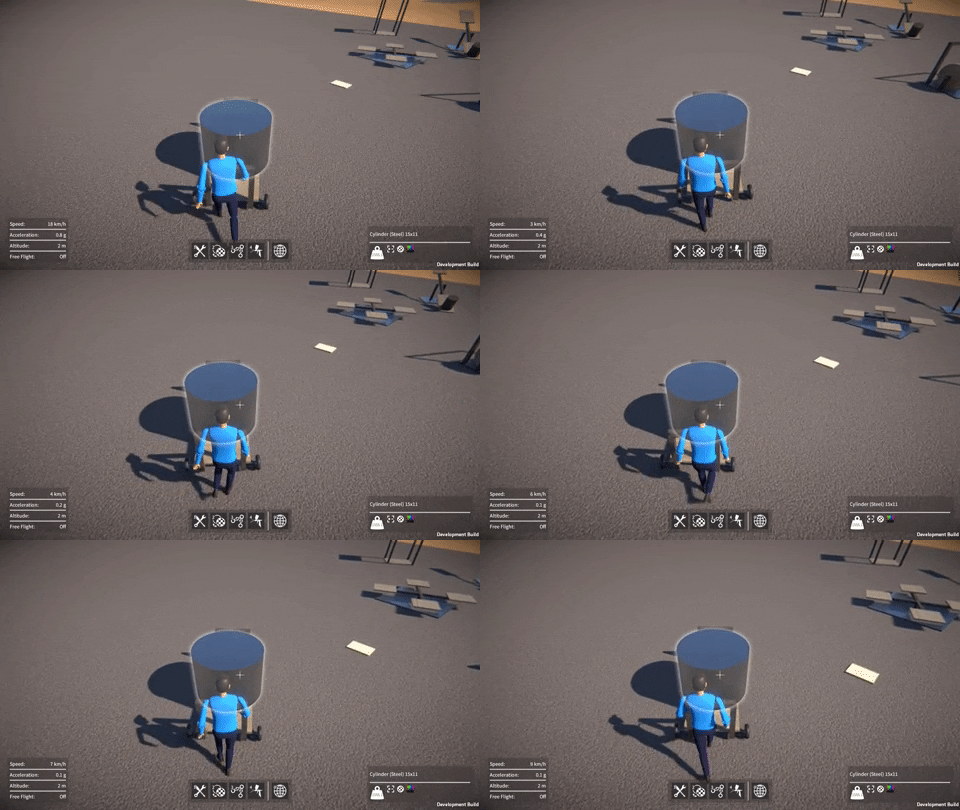
So instead, I now keep the player’s physics active, and lock them into the seat using a ConfigurableJoint between the player’s Rigidbody and the seat part’s parent Rigidbody.
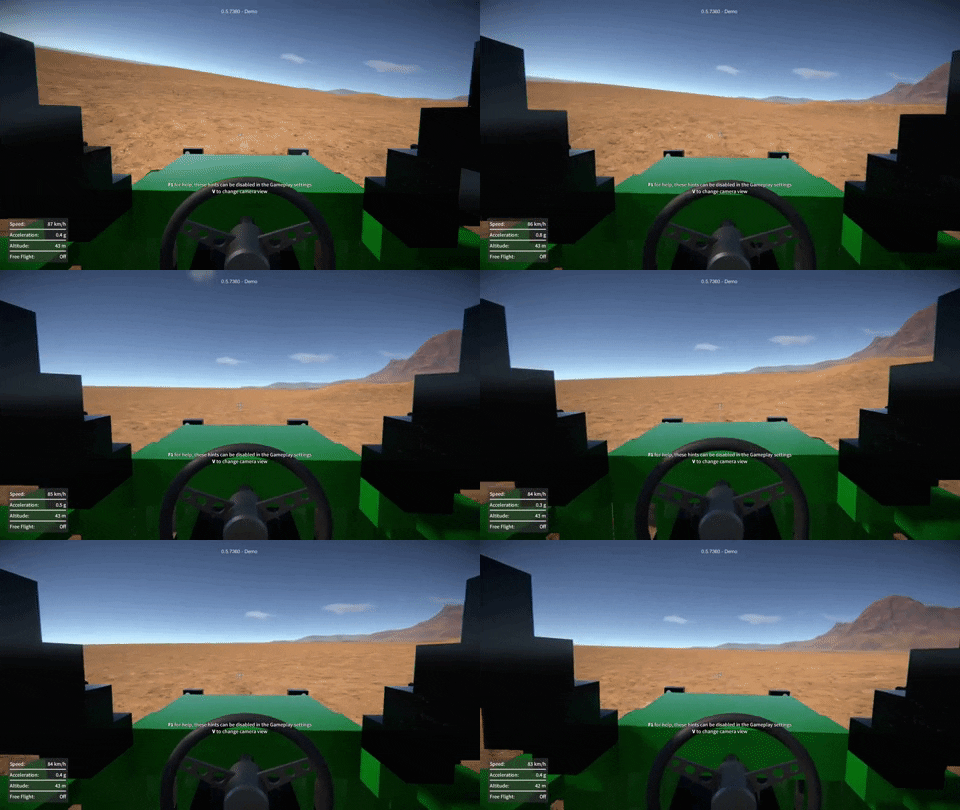
This means that the player’s mass now dynamically affects the construction they’re seated in. Also, by setting up the ConfigurableJoint appropriately it allows for some sprung-damped “give” between the seat and player, as you can see below.
It does of course mean however that constructions now have a little more overall mass and a slightly different CoG when players are riding in them, much as in real life.
Highlighting render optimisation
When a part (or a whole construction) is frozen, selected, etc. it is highlighted with a glowing outline. To achieve this the part’s meshes are drawn in a “mask” render pass that accumulates the outlines of all the highlighted objects. However, up ‘til now, even parts / constructions that weren’t currently being highlighted would still be drawn in this pass (having no visual effect and not necessary).
So now I’ve modified things so that it no longer draws parts in the highlighting mask render pass unless they are actually currently being highlighted.
I also tweaked the mask render shader to fade the highlighting out over distance, and set the camera far clip plane to cull objects beyond the “fully faded out” distance.
These changes save on draw calls, and give a slight rendering performance improvement when viewing constructions with a large number of parts.
Over the weekend I implemented a debug console in the game, something I’ve been wanting to do for ages. It shows logging output, and it can be used to inspect / modify variables, and trigger events in the game.
This was pretty simple to do, because the “global” variables and events were already implemented as ScriptableObject assets (see ScriptableObjects For Fun and Profit for details). It was just a matter of making them automatically add themselves to a list to then be accessible in the console. Almost as if I’d planned it that way from the beginning!
These existing variables and events are used by the various systems in the game, and don’t all necessarily make sense to mess with in the console, but many can be useful for testing purposes, or simply for playing around under the hood. I did add a couple of extra variables just for fun though, one to modify gravity, and another to change the time scale (slow-mo / fast forward).
The console itself has a simple UI, just scrolling text with a box to input commands at the bottom.
There are a few different available commands, for example to do things like listing the available variables or events, or to get help on using the console.Typing a variable’s name will shows its current value, or typing its name followed by a value will modify it. Typing an event’s name (followed by arguments if required) will raise that event, which can cause things to happen in the game (depending on the game’s current state).
Now that I’ve removed the old RakNet networking stuff, I’ve been unblocked from upgrading to later versions of Unity, and so that’s what I’ve been working on over the past couple of weeks.
Unity 2018.4
First I upgraded from 2017.4 to Unity 2018.4, this brought some significant improvements:-
PhysX upgraded to 3.4, I found this to be a big performance improvement, especially for constructions with a large number of rigidbodies / constraints.
Non allocating collision contacts. By enabling “Reuse Collision Callbacks”, and using the new Collision.GetContacts() API in OnCollisionEnter / OnCollisionStay, this eliminates GC allocs and improves physics performance too.
Graphics jobs no longer marked as “experimental”, so I enabled this, it should take some load off the main render thread.
Terrain instanced rendering, fewer draw calls for rendering the terrain mesh.
.NET 4.x no longer experimental, so I switched over to this from version 3.5.
IL2CPP scripting back-end for standalone builds, compiles to native binary, should improve performance and is more secure than shipping IL assemblies.
Unity 2019.3
Then moving on to 2019.3, which included a PhysX upgrade to version 4.1, this didn’t seem to provide any additional performance gains out of the box, but it does introduce some intriguing possibilities:-
New temporal Gauss Seidel solver (see below).
Automatic box broad-phase pruning, I tried this and didn’t notice any performance improvement, but I need to do some more tests to be sure.
Temporal solver
This new solver is supposed to improve stability for jointed rigidbodies with large mass ratios. I was hoping that it would eliminate or at least reduce the need for “fake” masses. For example, the gears right now all have the same (quite large) mass regardless of their size, to prevent them slipping, and it would be nice to give them real masses instead.
Unfortunately in my experiments this didn’t work out, in fact even leaving the gears with their fake masses, they wouldn’t run smoothly at all. It was almost as if the constraints between them were now too stiff, so instead of locking them together I tried using a limit with a small distance, to introduce some “backlash” to relax things slightly. This definitely helped but was still not completely smooth.
Sadly though, there were many other problems too, such as CV joints glitching out like crazy under even small torque loads, and wheels sinking through the ground. Not to mention spring dampers being way too strong (I guess everything would need re-tuning).
So I decided to leave this for now and stick with the old projected solver. There is a potential massive performance gain to be had with the temporal solver however, due to its faster convergence. I found that to achieve the same approximate constraint “stiffness”, it seems to only need the number of solver steps to be scaled linearly with the sim fixed time step, rather than with the square of the time step like the old projected solver.
I think this new solver will be worth revisiting again if I have time at some point in the future.
Performance results
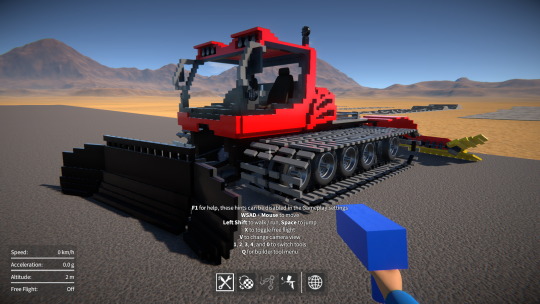
One of you talented folks sent me this awesome snow groomer creation! It’s quite physics heavy due to the tank tracks (a large number of rigidbodies, constraints, and collision contacts), so I’ve been using it as a test case to do some before and after performance comparisons.
I also compared with “Continuous Contact Detection” under the gameplay settings both on and off. Turning this off disables OnCollisionStay, which makes a big performance difference when there are a large number of collision contacts (the only downside being you get no sliding sound effects).
Here are some results (running on my dev machine at 1920×1080 full-screen) with the snow groomer:-
A few months ago I re-implemented the saved game serialization using Json.NET, the idea being to replace the existing BinaryReader / BinaryWriter based approach. I’ve already discussed the motivations for this before, so I won’t go into it again, if you’re interested you can read about it here.
Unfortunately, during testing I found serious performance problems and excessive GC allocations during (de)serialization. Using JsonSerializer (along with the JsonObject and JsonProperty attributes, JsonConverters, and so on) keeps the code nice and simple, but the performance and memory overhead with large data sets is exorbitant, at least that’s what I found. I was worried the work I’d done would go to waste and I’d have to find some other alternative to the current save / load system.
Well, I have now reworked things again to (de)serialize everything manually with JsonReader / JsonWriter, avoiding JsonSerializer altogether. Happily this seems to have eliminated the performance and memory issues, it comes at a cost of having more code to maintain and it’s not as “clean”, but I think this is a small price to pay.
So baring any unforeseen issues, I think using JsonReader and JsonWriter this way will do the job. The version tolerance Json gives should allow me to move forward with new features without worrying so much about breaking old saves!
Happy new year everyone! Time for a quick dev update for last week (meant to post this earlier, but ah well).
Networking abstraction and Photon PUN
About a year ago I implemented a networking abstraction layer to separate use of the deprecated Unity RakNet based API from the rest of the code.
Last week I made some improvements to its interface to finish it off, and then I added a new implementation under the hood using Photon PUN 2. I went with PUN because it’s easy to get up and running, it’s well supported, and its API is very similar to the old Unity API. Thankfully the PUN implementation was relatively easy to do, partly due to the API similarity, and partly because of the abstraction layer which meant I didn’t have to touch the rest of the code.
I’ve no idea yet if I’ll stick with PUN in the long run, but for now it at least means I can get rid of all references to the deprecated Unity networking API, while not breaking my prototype multiplayer implementation. So now I’m finally free to move on past Unity 2017.4 and upgrade to a newer version, which I’ll hopefully be doing soon!
Builder tool UI feedback
After the recent video I put out about the builder tool UI changes I was considering, I’ve had loads of amazing and really useful feedback, so thank you for that! I think the consensus is to leave things as they are and focus on the rest of the game, so that’s what I’ll be doing, at least for now. I’ll keep the prototype code around somewhere in case I need to come back to it in the future.
Saved game serialization
As for this week, I’m back to looking at Json.NET saved game serialization, a topic I covered a few months ago. I’m trying to improve on the performance and GC alloc issues I had discussed in that blog post. If this doesn’t work out then Json isn’t going to be viable for this purpose, and I’ll have to think of another way to solve the inflexibility of the current binary stream based system.
Posted on
GearBlocks building UI – need your feedback!
One of the main core elements of GearBlocks is the building game mechanic, and it’s an area I’m still not really happy with. I think the builder tool user interface is too clunky and awkward to use, and it presents too steep a learning curve to new players. However I’ve struggled to think of how to simplify the UI without losing the flexibility of the current system.
So I decided to go back to basics and just look at the way that parts are positioned and orientated to be aligned together. For now I’m ignoring part resizing, which I think it might be best to separate out into another tool anyway.
In this video I show what I think are some of the problems with the current system, and demo a quick and dirty prototype of a possible alternative.
I’d love to know what you guys think.
How hard was it for you to learn how to build stuff in the game when you first started?
Do think the current builder tool is basically OK as it is, should I just leave things as they are and get on with finishing the rest of the game?
Or do you find the current building user interface difficult to use?
Do you think the approach that I’ve shown here in this prototype is worth pursuing?
Let me know in the video comments, or on the GearBlocks discord. Thank you, and happy holidays!
Hey everyone, I’ve finally gotten around to creating a Discord server for GearBlocks!
You can upload your save files there, so I think it will be a great place to share your creations, at least until I implement a proper way to do this from within the game itself.
It’s also a good place to discuss the game, share tips & tricks, give feedback, report bugs, and so on.
I’m still learning my way around the whole Discord thing, so let me know if you have any suggestions for the GearBlocks Discord. Welcome aboard!
A bit later than I was hoping, but here’s a new demo build! This one includes a whole bunch of player character improvements and several bug fixes too.
Over the past few weeks I fixed a bunch of bugs, and then turned my attention to player physics and movement control.
Problems with using CharacterController
Since the very earliest days of the game’s development I’ve been using a CharacterController for the player along with a “character motor” script (adapted from a Unity sample) to control it using the CharacterController’s Move() function. The character motor would apply forward / back, strafing, and jumping movement, acceleration due to gravity, and if the player was standing on a moving object it would make them move with it.
This setup worked reasonably well, but the CharacterController doesn’t provide proper interactions with Rigidbodies in the world. The player is treated as a static immovable object when things collide with them. The player can’t push objects around, and they can’t be pushed by objects either. It just looks wrong when for example a vehicle hits the player at high speed and they don’t move at all.
Also, the character motor implementation had a bug where, if the player collided with a Rigidbody, they would occasionally get thrown across to the other side of the map. Most often this happened when exiting a seat, very annoying! I suspect this issue was related to the code that moved the player when standing on something, but I’m not 100% sure.
Despite all these problems, I didn’t particularly want to add more work to my plate by throwing out this character motor code and starting again from scratch. So I tried playing around in the OnControllerColliderHit() message to try and get the player to push stuff around, and in OnCollisionStay() I tried to make the player be pushed by objects that collide with them. I couldn’t get this to work nicely though, I think it really is necessary for the player to have a Rigidbody to give proper physical interactions, anything else is always going to be a bit of a hack at best.
At this point I realised I needed to ditch the CharacterController and start from scratch after all, using a Rigidbody instead.
A physics based player
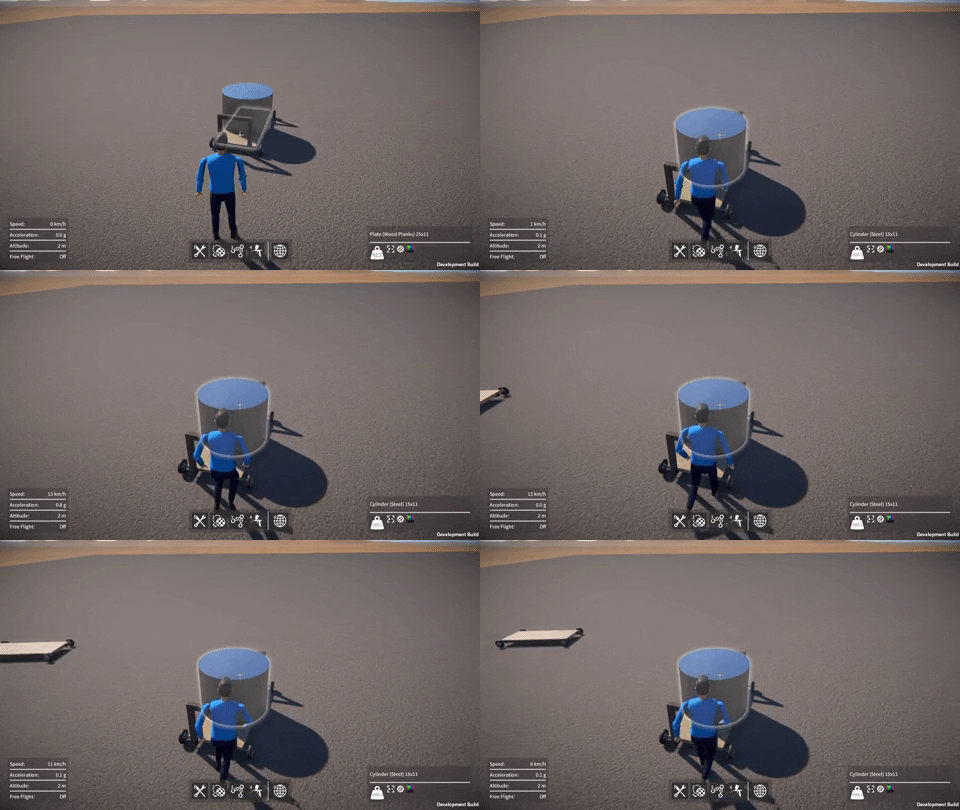
So now instead of a CharacterController, the player has a CapsuleCollider and a Rigidbody. I implemented new code that replicates the original forward / back, strafing, and jumping behaviour, by applying a force to the player’s Rigidbody. It uses a Physics.SphereCast() to detect contact with the ground and to find the Rigidbody that the player is standing on, if any. If they are standing on a Rigidbody, its velocity is transferred to the player. Also, the force used to move the player is applied in the opposite direction to the Rigidbody that they’re standing on, thus obeying Newton’s third law.
To sum up the features and benefits of this new approach:-
Correct player collisions with other Rigidbodies.
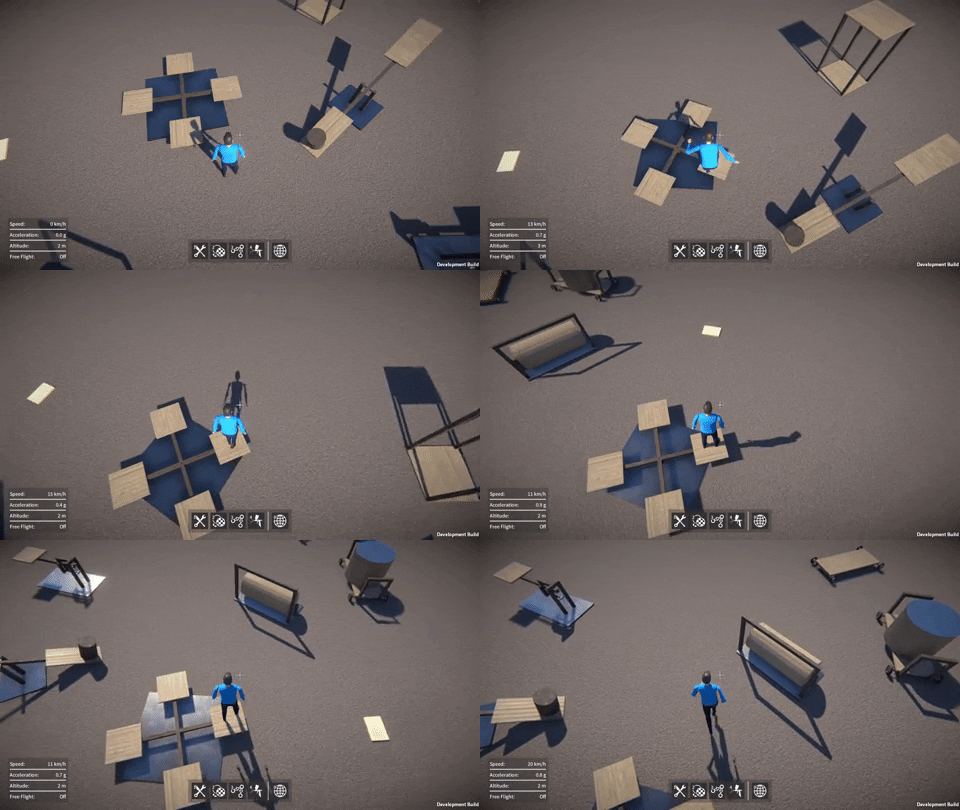
Player can push other Rigidbodies around.
Player can be pushed by other Rigidbodies.
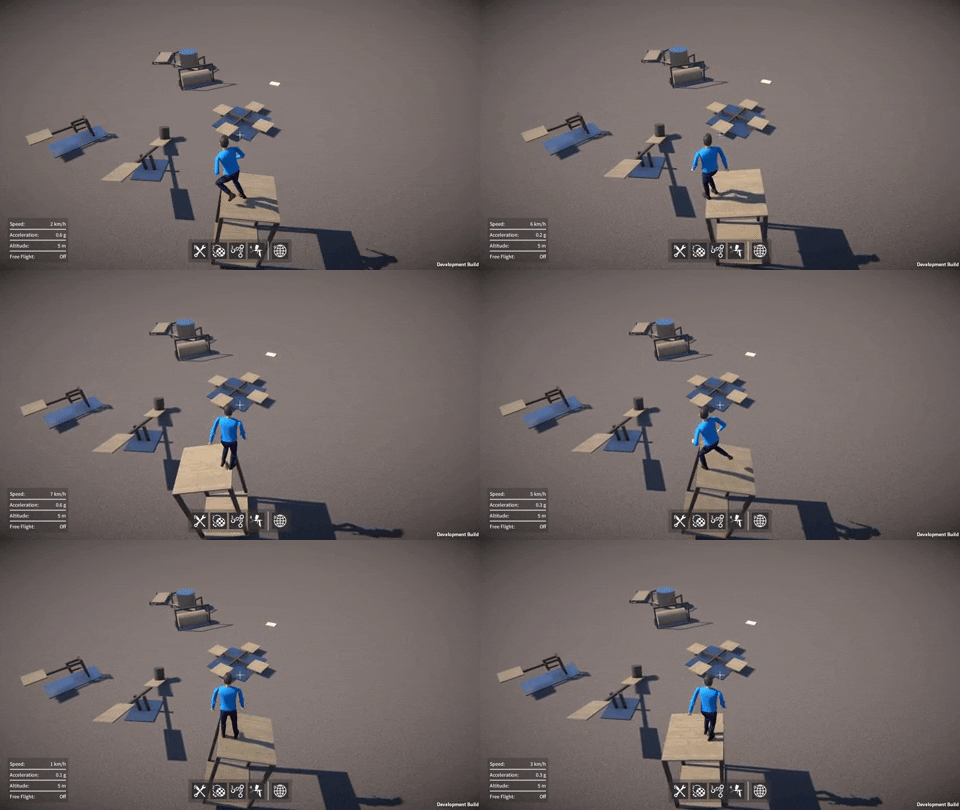
Player can stand on a moving Rigidbody.
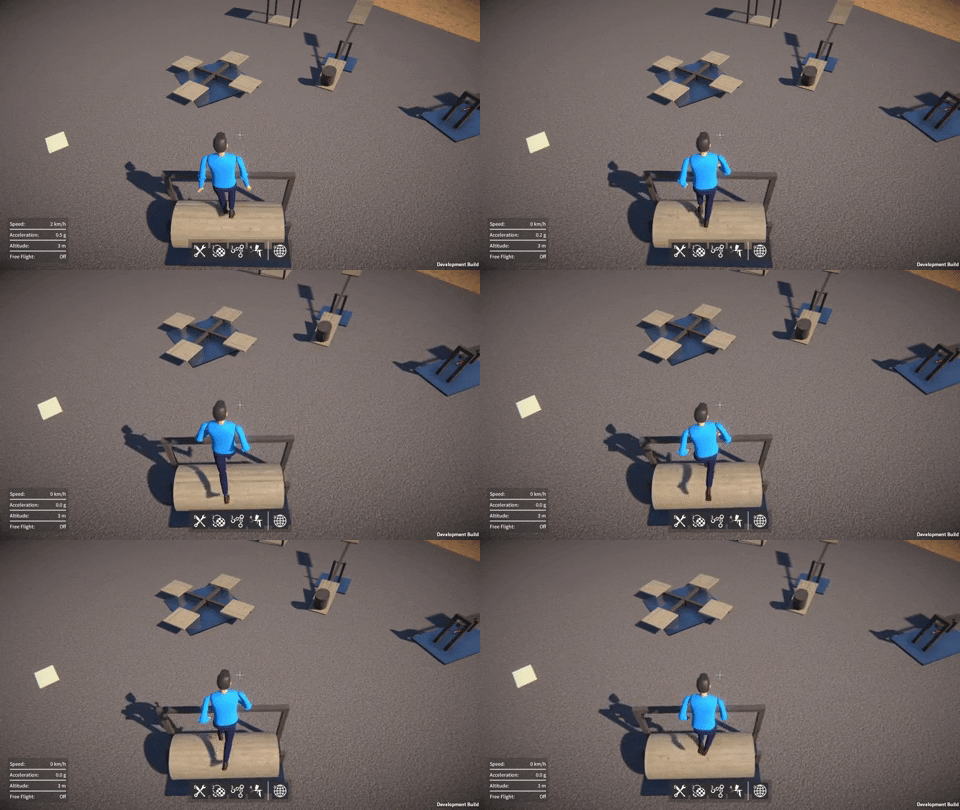
Obeys Newton’s third law when player accelerates while standing on a Rigidbody, this results in really cool “conservation of momentum” behaviour.
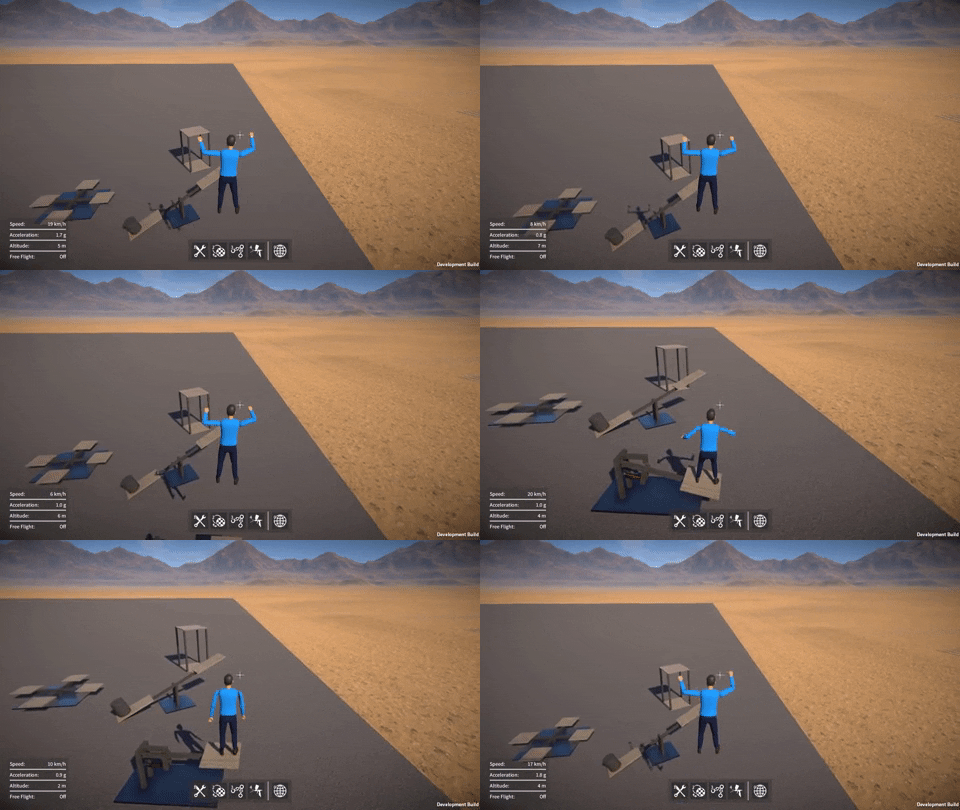
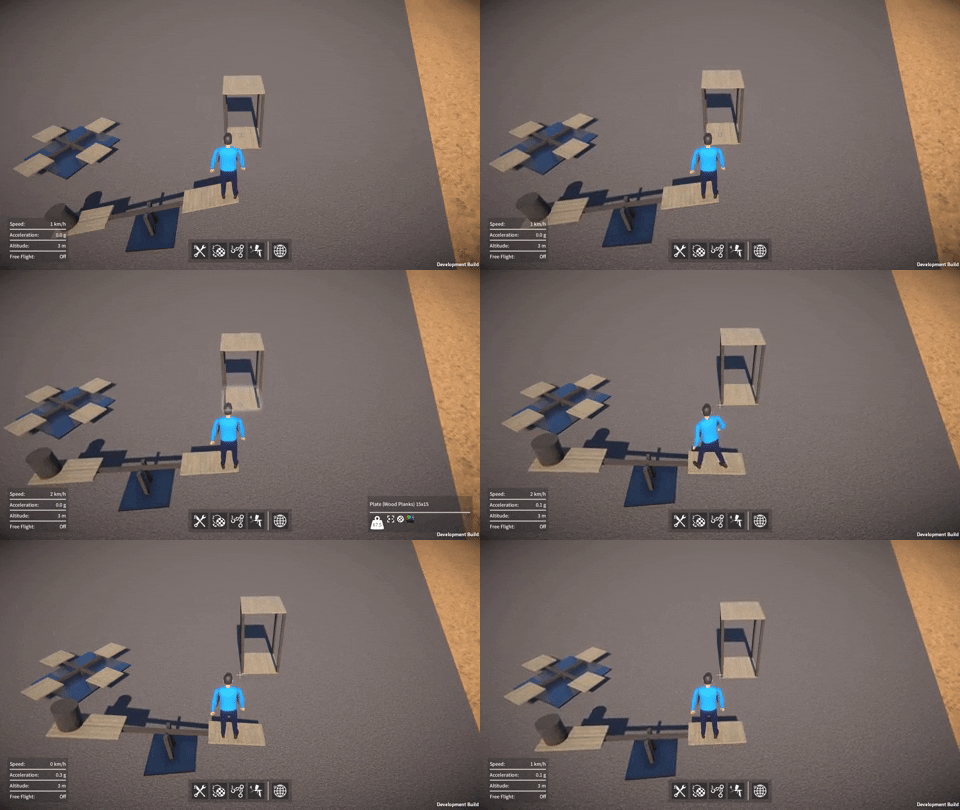
Player falls due to gravity automatically from having a Rigidbody, but even better, the player’s weight now pushes down on the Rigidbody that they’re standing on.
Eliminates the old “player thrown across to the other side of the map” bug.
Code is simpler and cleaner than the old character motor implementation.
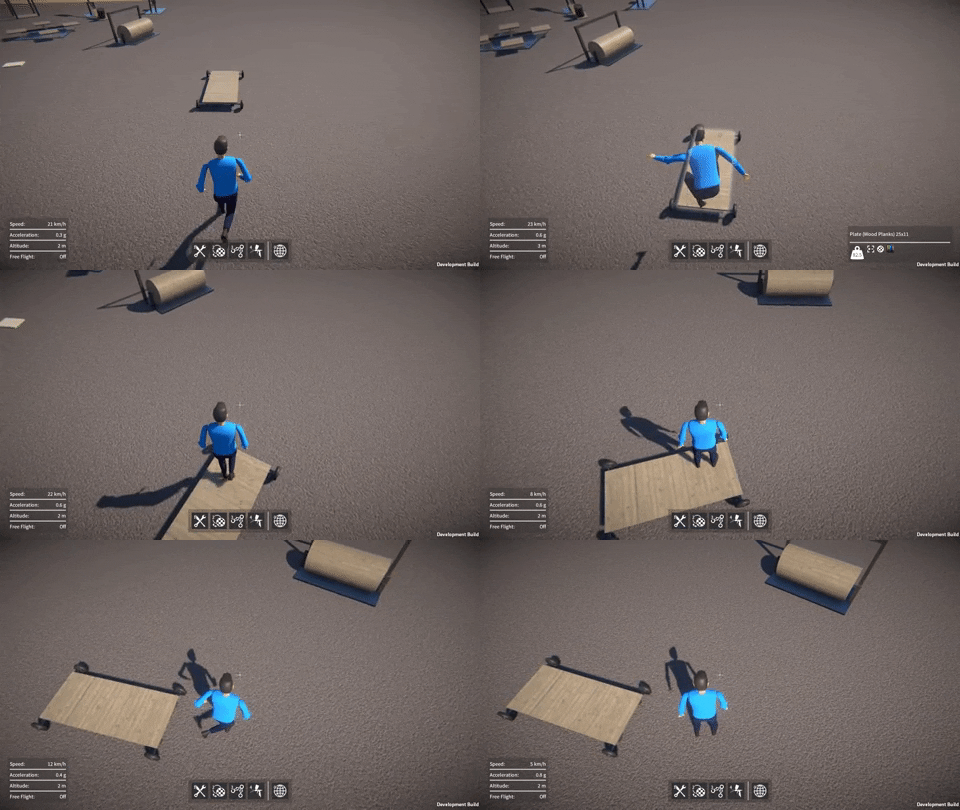
Here are some examples of all this in action:-
As you can see this provides a level of interaction between the player and the constructions they build that simply wasn’t possible before, so I’m happy I bit the bullet and re-implemented things this way!
However it’s by no means perfect, and there are a few issues / missing features that will need addressing at some point, for example:-
I’d like to implement code to handle climbing steps, I think the player needs an extra force to push them up steps, as they tend to get stuck at the moment.
I also want to add something to make the player slide off ledges, as right now the player can stand more than half way off a ledge with their feet in the air, which looks weird.
The old character motor had code to make the player slide down steep slopes, not especially crucial but it would be good to get this working in the new implementation.