An update all about the latest demo, showing the physics performance improvements, a tutorial on the new debug console, and more.
(Source: https://www.youtube.com/)

An update all about the latest demo, showing the physics performance improvements, a tutorial on the new debug console, and more.
Sorry everyone, the latest build (0.5.7361) had a bug where slider rails would not attach to anything, so I’m releasing another build with a fix for this.
The problem was due to an issue in the Unity editor with multi-select editing (i.e. selecting multiple gameobjects and editing common serialized properties). This can mess up serialized enum properties, I’ve been bitten by this before, and that’s what happened here. The slider rail part was inadvertently set to have the same alignment and attachment flags as the axle part. An easy fix to set it back to the correct enum flags, but such a stupid and annoying problem.
I also found another bug that was a silly error on my part that messed up switching between first / third person mode, so I’ve fixed that too.
Here’s the latest demo update with the new saved game format, all the physics and rendering performance optimisations, player physics improvements, debug console, etc.
In this update I’ll briefly go over what I worked on last week. This week so far has been focused on bug fixes and preparing for another demo release which should be coming very soon!
Take a seat
Previously, when a player activated a seat, they would be “locked” into the seat by their transform being re-parented to the seat part’s transform, and their Collider / Rigidbody disabled.
This meant that the player would suddenly seem to have no mass, having no weight exerted on the seat.
So instead, I now keep the player’s physics active, and lock them into the seat using a ConfigurableJoint between the player’s Rigidbody and the seat part’s parent Rigidbody.
This means that the player’s mass now dynamically affects the construction they’re seated in. Also, by setting up the ConfigurableJoint appropriately it allows for some sprung-damped “give” between the seat and player, as you can see below.
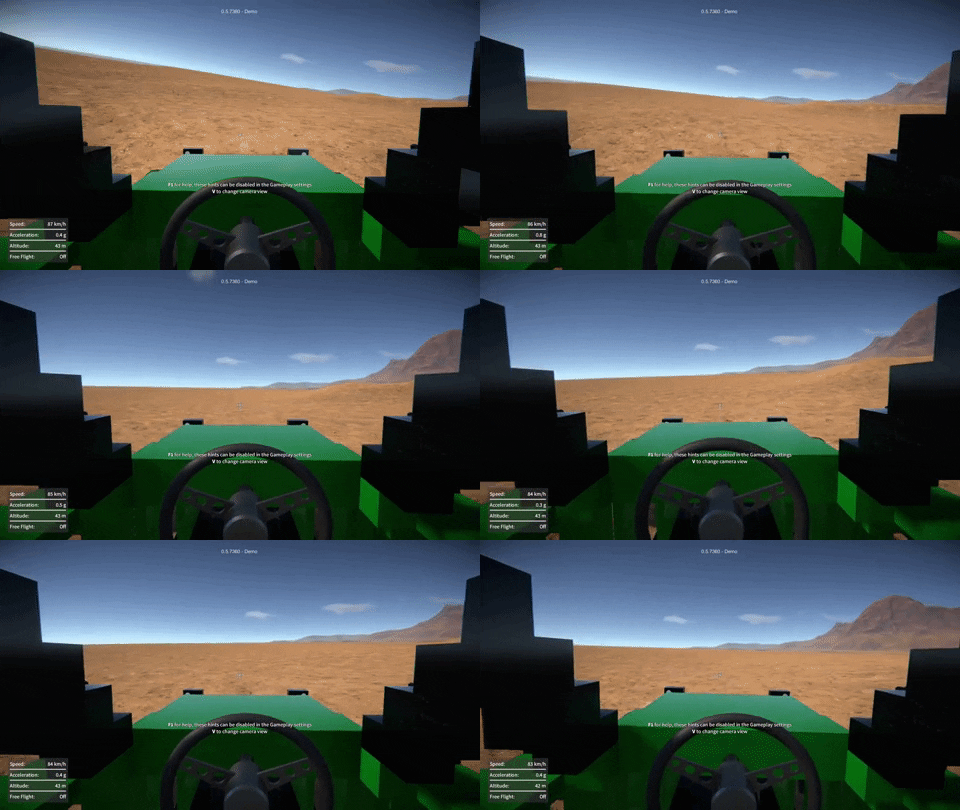
It does of course mean however that constructions now have a little more overall mass and a slightly different CoG when players are riding in them, much as in real life.
Highlighting render optimisation
When a part (or a whole construction) is frozen, selected, etc. it is highlighted with a glowing outline. To achieve this the part’s meshes are drawn in a “mask” render pass that accumulates the outlines of all the highlighted objects. However, up ‘til now, even parts / constructions that weren’t currently being highlighted would still be drawn in this pass (having no visual effect and not necessary).
So now I’ve modified things so that it no longer draws parts in the highlighting mask render pass unless they are actually currently being highlighted.
I also tweaked the mask render shader to fade the highlighting out over distance, and set the camera far clip plane to cull objects beyond the “fully faded out” distance.
These changes save on draw calls, and give a slight rendering performance improvement when viewing constructions with a large number of parts.
Over the weekend I implemented a debug console in the game, something I’ve been wanting to do for ages. It shows logging output, and it can be used to inspect / modify variables, and trigger events in the game.
This was pretty simple to do, because the “global” variables and events were already implemented as ScriptableObject assets (see ScriptableObjects For Fun and Profit for details). It was just a matter of making them automatically add themselves to a list to then be accessible in the console. Almost as if I’d planned it that way from the beginning!
These existing variables and events are used by the various systems in the game, and don’t all necessarily make sense to mess with in the console, but many can be useful for testing purposes, or simply for playing around under the hood. I did add a couple of extra variables just for fun though, one to modify gravity, and another to change the time scale (slow-mo / fast forward).
The console itself has a simple UI, just scrolling text with a box to input commands at the bottom.
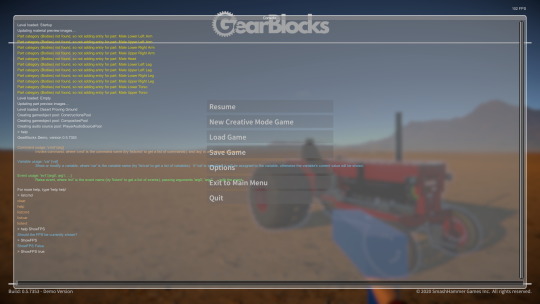
There are a few different available commands, for example to do things like listing the available variables or events, or to get help on using the console.Typing a variable’s name will shows its current value, or typing its name followed by a value will modify it. Typing an event’s name (followed by arguments if required) will raise that event, which can cause things to happen in the game (depending on the game’s current state).
Now that I’ve removed the old RakNet networking stuff, I’ve been unblocked from upgrading to later versions of Unity, and so that’s what I’ve been working on over the past couple of weeks.
Unity 2018.4
First I upgraded from 2017.4 to Unity 2018.4, this brought some significant improvements:-
Unity 2019.3
Then moving on to 2019.3, which included a PhysX upgrade to version 4.1, this didn’t seem to provide any additional performance gains out of the box, but it does introduce some intriguing possibilities:-
Temporal solver
This new solver is supposed to improve stability for jointed rigidbodies with large mass ratios. I was hoping that it would eliminate or at least reduce the need for “fake” masses. For example, the gears right now all have the same (quite large) mass regardless of their size, to prevent them slipping, and it would be nice to give them real masses instead.
Unfortunately in my experiments this didn’t work out, in fact even leaving the gears with their fake masses, they wouldn’t run smoothly at all. It was almost as if the constraints between them were now too stiff, so instead of locking them together I tried using a limit with a small distance, to introduce some “backlash” to relax things slightly. This definitely helped but was still not completely smooth.
Sadly though, there were many other problems too, such as CV joints glitching out like crazy under even small torque loads, and wheels sinking through the ground. Not to mention spring dampers being way too strong (I guess everything would need re-tuning).
So I decided to leave this for now and stick with the old projected solver. There is a potential massive performance gain to be had with the temporal solver however, due to its faster convergence. I found that to achieve the same approximate constraint “stiffness”, it seems to only need the number of solver steps to be scaled linearly with the sim fixed time step, rather than with the square of the time step like the old projected solver.
I think this new solver will be worth revisiting again if I have time at some point in the future.
Performance results
One of you talented folks sent me this awesome snow groomer creation! It’s quite physics heavy due to the tank tracks (a large number of rigidbodies, constraints, and collision contacts), so I’ve been using it as a test case to do some before and after performance comparisons.
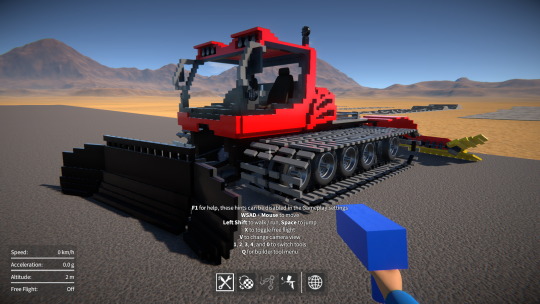
I also compared with “Continuous Contact Detection” under the gameplay settings both on and off. Turning this off disables OnCollisionStay, which makes a big performance difference when there are a large number of collision contacts (the only downside being you get no sliding sound effects).
Here are some results (running on my dev machine at 1920×1080 full-screen) with the snow groomer:-
Note that there’s a range on these numbers because performance varies depending on how things are moving, how many collisions are happening, etc.
A few months ago I re-implemented the saved game serialization using Json.NET, the idea being to replace the existing BinaryReader / BinaryWriter based approach. I’ve already discussed the motivations for this before, so I won’t go into it again, if you’re interested you can read about it here.
Unfortunately, during testing I found serious performance problems and excessive GC allocations during (de)serialization. Using JsonSerializer (along with the JsonObject and JsonProperty attributes, JsonConverters, and so on) keeps the code nice and simple, but the performance and memory overhead with large data sets is exorbitant, at least that’s what I found. I was worried the work I’d done would go to waste and I’d have to find some other alternative to the current save / load system.
Well, I have now reworked things again to (de)serialize everything manually with JsonReader / JsonWriter, avoiding JsonSerializer altogether. Happily this seems to have eliminated the performance and memory issues, it comes at a cost of having more code to maintain and it’s not as “clean”, but I think this is a small price to pay.
So baring any unforeseen issues, I think using JsonReader and JsonWriter this way will do the job. The version tolerance Json gives should allow me to move forward with new features without worrying so much about breaking old saves!
Happy new year everyone! Time for a quick dev update for last week (meant to post this earlier, but ah well).
Networking abstraction and Photon PUN
About a year ago I implemented a networking abstraction layer to separate use of the deprecated Unity RakNet based API from the rest of the code.
Last week I made some improvements to its interface to finish it off, and then I added a new implementation under the hood using Photon PUN 2. I went with PUN because it’s easy to get up and running, it’s well supported, and its API is very similar to the old Unity API. Thankfully the PUN implementation was relatively easy to do, partly due to the API similarity, and partly because of the abstraction layer which meant I didn’t have to touch the rest of the code.
I’ve no idea yet if I’ll stick with PUN in the long run, but for now it at least means I can get rid of all references to the deprecated Unity networking API, while not breaking my prototype multiplayer implementation. So now I’m finally free to move on past Unity 2017.4 and upgrade to a newer version, which I’ll hopefully be doing soon!
Builder tool UI feedback
After the recent video I put out about the builder tool UI changes I was considering, I’ve had loads of amazing and really useful feedback, so thank you for that! I think the consensus is to leave things as they are and focus on the rest of the game, so that’s what I’ll be doing, at least for now. I’ll keep the prototype code around somewhere in case I need to come back to it in the future.
Saved game serialization
As for this week, I’m back to looking at Json.NET saved game serialization, a topic I covered a few months ago. I’m trying to improve on the performance and GC alloc issues I had discussed in that blog post. If this doesn’t work out then Json isn’t going to be viable for this purpose, and I’ll have to think of another way to solve the inflexibility of the current binary stream based system.
A quick run through what’s new in the latest demo, a better player character model, improved animations, and player physics interaction.
A bit later than I was hoping, but here’s a new demo build! This one includes a whole bunch of player character improvements and several bug fixes too.