I had to fix a few last minute issues as is usually the way, but finally here’s the new demo release as promised. Enjoy!
Glitch fixes, demo update soon
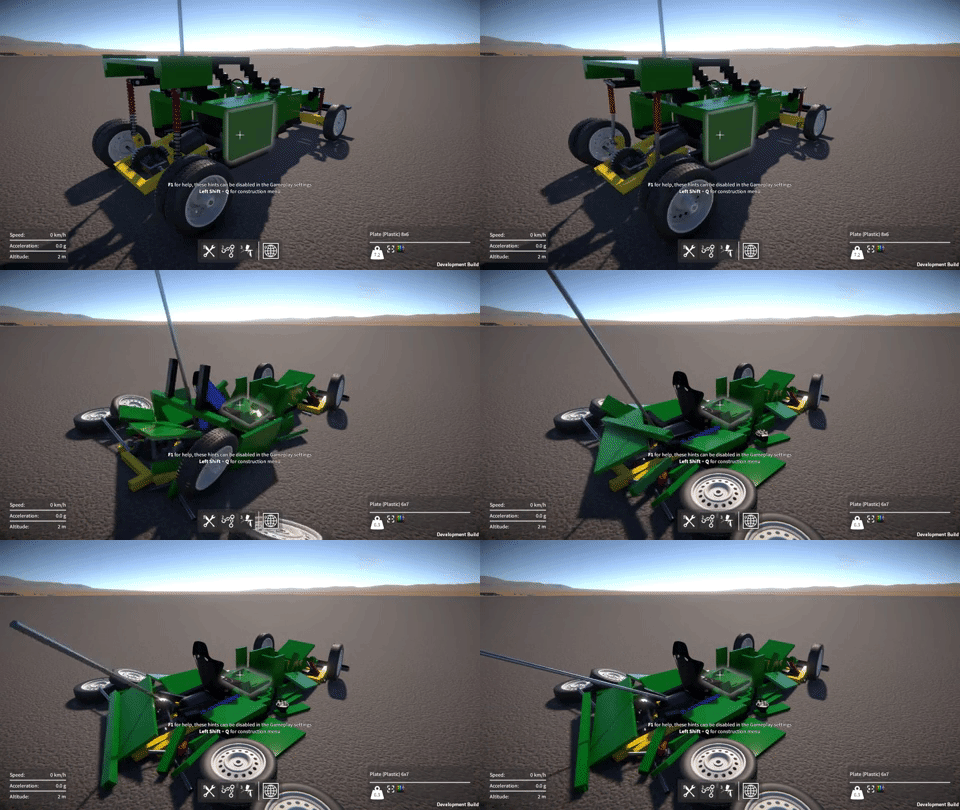
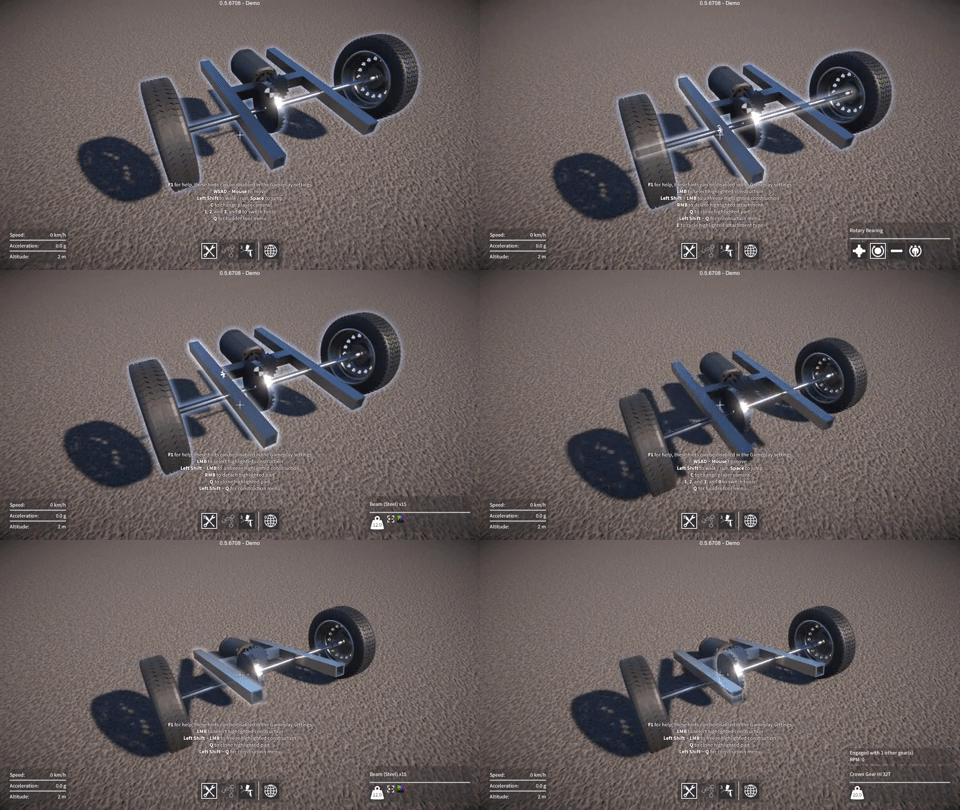
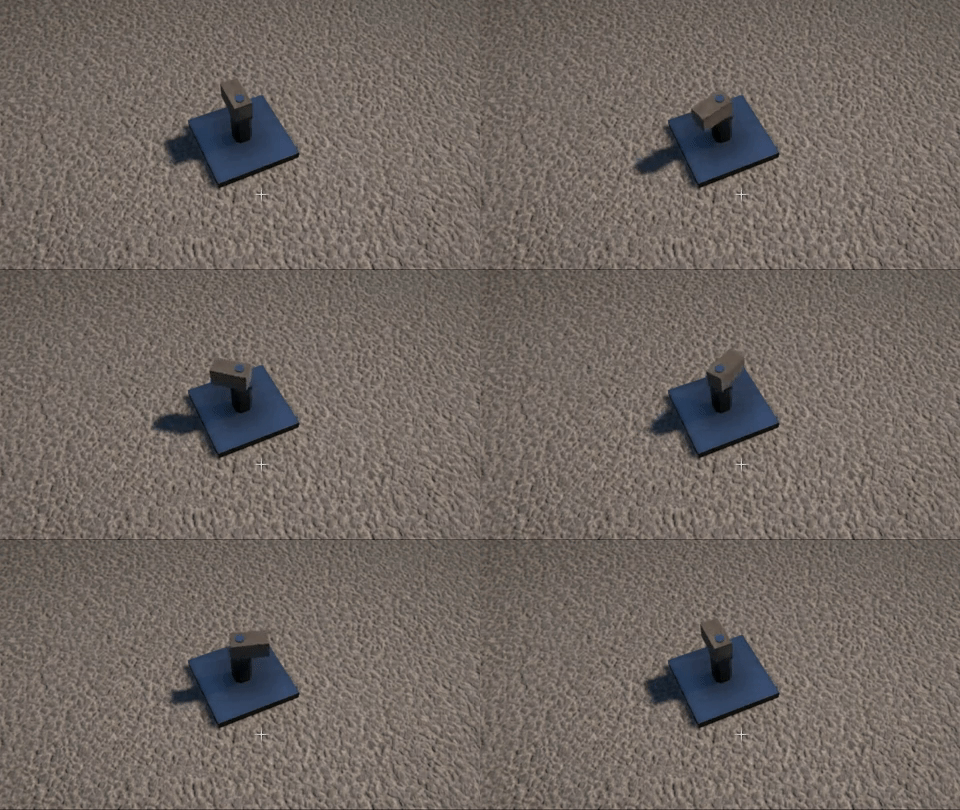
Last week I fixed a problem that someone found while playing the demo, player feedback is so valuable and always much appreciated by the way! Here’s the scenario; the player deletes a jointed attachment (e.g. rotary, slider, etc.) between two intersecting parts, but the parts still belong to the same construction after the deletion. Physics will consider these parts to be inter-penetrating, and if the construction is unfrozen, it’ll try to force them apart. This can sometimes cause your constructions to jump all over the place like they’re possessed. Here’s an example of the problem.

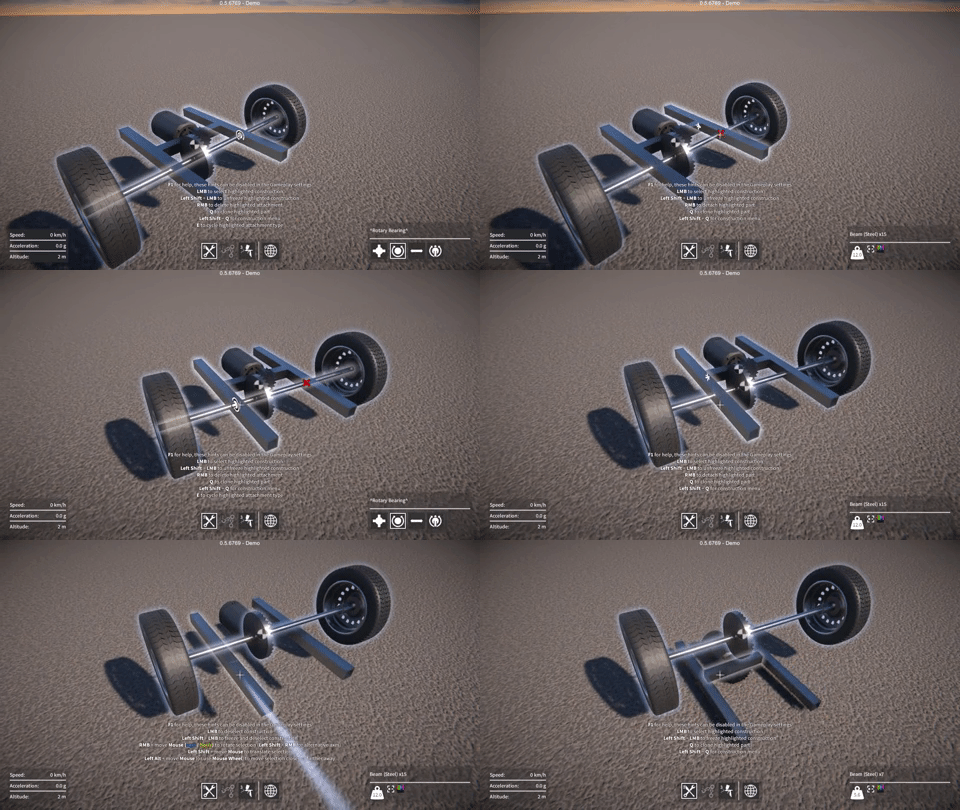
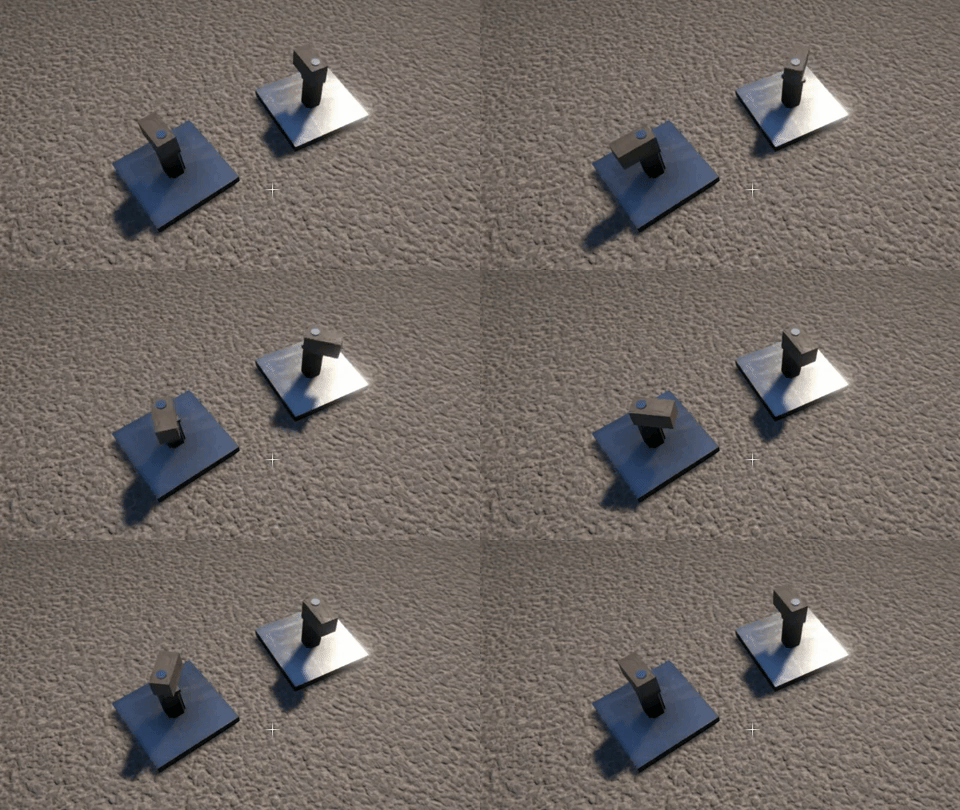
The solution I came up with was to keep track of the intersections left after attachment deletion, and prevent the construction from being unfrozen until they are resolved. The player can do this by deleting other attachments until the intersecting parts are no longer part of the same construction. Any unresolved intersections are now shown by a red cross as can be seen below.

I’ve also been working on a bunch of bug fixes, mostly regressing issues introduced by recent changes. Another more serious problem was a crash that sometimes happened when quitting the game, the Unity error log didn’t point to anything obvious in my script code, and I couldn’t find any other devs on the forums having a similar issue. After a lot of trial and error I found which version of Unity introduced the problem. So I rolled back to 2017.4.2 for now, any 2017 version after this seems to have the crash (I haven’t tried any 2018 releases yet). I don’t know what was changed that caused this crash, I didn’t find any clues in the Unity change logs. After the next demo release, I’ll just upgrade to the latest 2018 build and with any luck the issue won’t reappear.
Speaking of the demo, I should be ready to put the next update out in a day or two. I finally got my new video card today to replace the one the died, so I’m now able to do some final testing before the release.
Collision exposition
As I mentioned in the last dev update, I’ve been working on re-implementing the collision contact system, which is used for triggering impact sounds and applying damage to constructions. I’ve now finally completed this work, not without some challenges along the way though, and it ended up taking far longer than I was hoping. Not to mention my video card died and my Internet connection went down last week, fun times!
Apologies for the wall of text, but here’s my attempt to explain what I’ve been up to.
Impact overload
The old collision code dated from the early prototype days, and simply played an impact sound (and applied damage to the construction) directly in the OnCollisionEnter() event handler. This event gets triggered once for every collider pair that makes contact, which can end up being a lot particularly if there are many moving parts in a construction, and meant that way too many impact sounds were being triggered concurrently.
Also, I’ve been working on adding sliding sounds for when parts slide past one another. This requires continuously tracking collision contacts, for which I use the OnCollisionStay() event. Again, this event gets triggered once for every contacting collider pair, except that unlike OnCollisionEnter(), it gets called every fixed update for the duration that the colliders are contacting one another, so the performance cost of any code in the event handler becomes a real concern.
Unity performance woes
On the subject of performance, the overhead for Unity to collect the collision contact data is one thing, but what I find even more frustrating is the way it must be accessed. For every single collision contact, a call from the Unity engine (unmanaged C++ code) into the C# script is made via an OnCollision…() event, with an attendant GC alloc for the collision data being passed into the event handler. This means in my “worst case” tests where I had thousands of collision contacts per update, I was seeing a performance cost in the tens of milliseconds, and thousands of GC allocs totaling a few MB. This cost is just for reporting the collision contacts, and does not include the physics sim update or anything else.
I wish it were possible to access all of the per update collision contact data in one call, preferably into a pre-allocated buffer, but for now we’re stuck with the OnCollision…() events. Hopefully at some point Unity will improve this situation!
I tried to find a way of eliminating OnCollisionStay() while still keeping the sliding sounds working. It seemed like it should have been possible because you can still keep track of what colliders are currently contacting by using OnCollisionEnter() / OnCollisionExit(), and then get the velocities from their rigidbodies. Unfortunately what you don’t have is the new contact position and normal each update, which are required to calculate the relative velocity at the point of contact, necessary for the sliding sounds to work properly. I tried fudging my way around this by estimating these values, but couldn’t come up with a solution that worked reliably.
In the end I resigned myself to keep using OnCollisionStay(), and turned my attention to optimising the code inside the OnCollision…() event handlers as much as possible, and consolidating the collision event data into something more manageable.
Discard and merge
The first step was to discard any collision contacts whose separation is larger than a small threshold value, happily this eliminated most of the spurious impact sounds that were being triggered when parts were merely sliding past one another.
The second part was to merge collision contacts such that for each update, only one contact is considered per Rigidbody pair / PhysicMaterial combination. This means that, for example, a construction with a large number of parts all made of the same material and all rigidly attached together will only generate one impact or sliding sound. The most important thing was to perform this merging as efficiently as possible because the OnCollision…() events can be called so frequently; it was crucial to avoid any computation, conversion, GetComponent…() calls, etc. inside the event handlers.
To keep track of the currently active contacts, the system now uses a dictionary whose keys are a struct containing the two Rigidbodies and the PhysicMaterial (these are all available directly from the data passed into the event handlers). The dictionary’s values are a struct containing the contact position and normal, the merging happens by only keeping this data for the contact with the smallest separation, the rest are discarded. Then every update this dictionary of active contacts (of which there aren’t that many due to the merging) is looped over, calculating the required relative velocities, and updating the sliding sounds accordingly.
To mitigate the OnCollisionStay() performance overhead further, I also added an option in the game-play settings to disable it, for players with low end machines and / or particularly complex constructions. This effectively disables the sliding sounds, but the impact sounds still work, so it’s not the end of the world.
Audio materials
Once ready to trigger an impact or sliding sound, I wanted to add some variety and sophistication to the sounds, while also making configuration easier. So now, rather than each part explicitly referencing which AudioClips to use, the system automatically maps from the PhysicMaterial to an “audio material”. Each audio material specifies the AudioClips to be played on impact and during a slide. The pitch of these sounds are scaled based on the mass of the part that is colliding, and there can be different AudioClips chosen based on the pitch scaling factor.
I also added support in the audio materials for a “rolling sound” (played based on the angular velocity of a part when it’s contacting something). This allowed me to make the wheels (which have had sliding and rolling sounds for some time now) use the same unified system. I do love me some unification!
AudioSource pools
Despite the aforementioned reduction in number of collision sounds being triggered, there’s still no real limit on how many could be triggered concurrently. Also, each part behaviour might have a sound playing (e.g. motor whine, gear whirr, propeller wash, etc.) which is only limited by the number of active part behaviours.
To bring this situation under control and place a hard cap on the number of AudioSources, I implemented a pooling system. This pre-creates a fixed number of AudioSources and keeps track of which ones are currently in use. The collision contact system and the part behaviours can request to play an AudioClip via the pool, and if a free AudioSource isn’t available the request is ignored. Once an AudioClip has stopped playing, the corresponding AudioSource in the pool is automatically freed up to be available for a future request.
Damage propagation
In the game, damage (based on the collision impulse) is only dealt with in the OnCollisionEnter() event handler, not OnCollisionStay(). However I still wanted to optimise this as much as possible, so rather than applying damage directly in the handler, it is now accumulated over an update. The total damage is then applied once per update (this is where the damage is divided up and propagated out to part attachments).
I still have some work to do on the damage system but this at least moves the code out of the event handler, and means that if I need to increase the complexity of the damage propagation code, it shouldn’t affect performance too much. This is a topic I’ll be revisiting in a future update.
Dev update Apr / May – part 2
Linker tool
I’ve continued work on the linker tool, creating the first pass implementation of an indicator for it, this can be seen above with some pulleys (notice also the automatic belt routing, sweetness!)
I think I now have a solution for how to handle parts that have multiple linkable behaviours, but I need to start implementing it to really see if it’ll work out.
Resize indicator
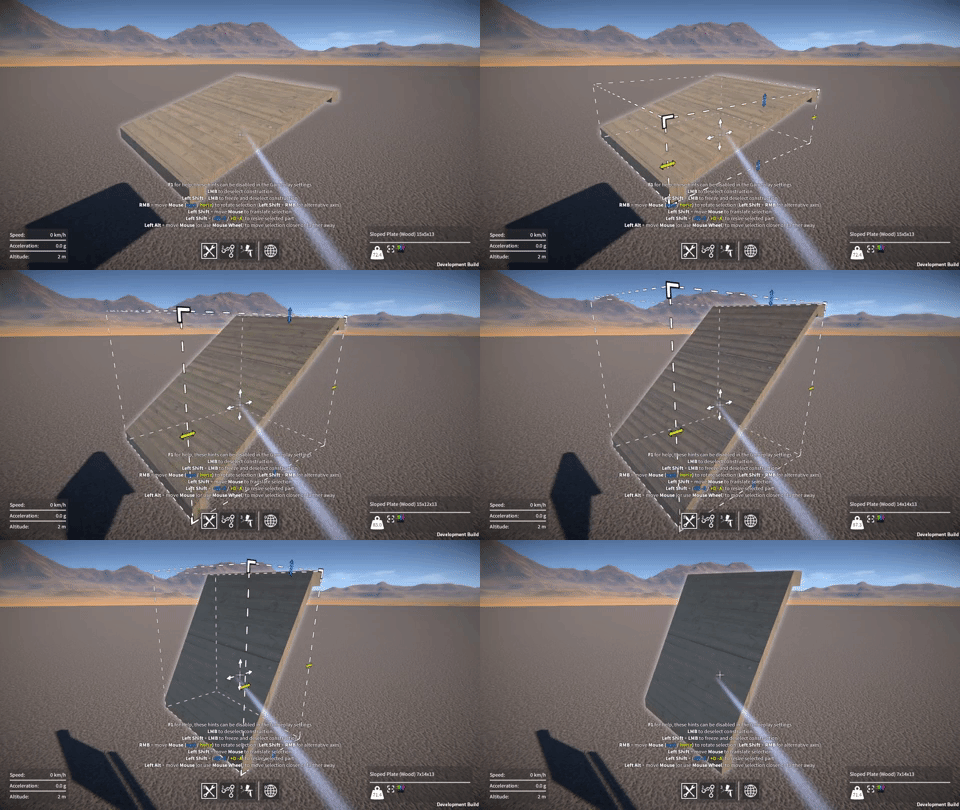
I’ve added a new indicator to show the selected part’s bounds during resizing, this was particularly needed for parts that can resize along all three axes (e.g. sloped plates) to make things clearer for the user.

UI stuff
Up until now each part behaviour has had a specific pre-created UI with all of its elements (key bindings, sliders, checkboxes, etc.) laid out ahead of time. This was very inflexible and made it awkward to add or change which user adjustable parameters a part behaviour exposed. So I’ve now removed these hard-coded UIs and replaced them with a generic part behaviour UI implementation that automatically populates itself based on what parameters a particular part behaviour exposes. This will make adding new part behaviours (and modding support!) much easier in the future.
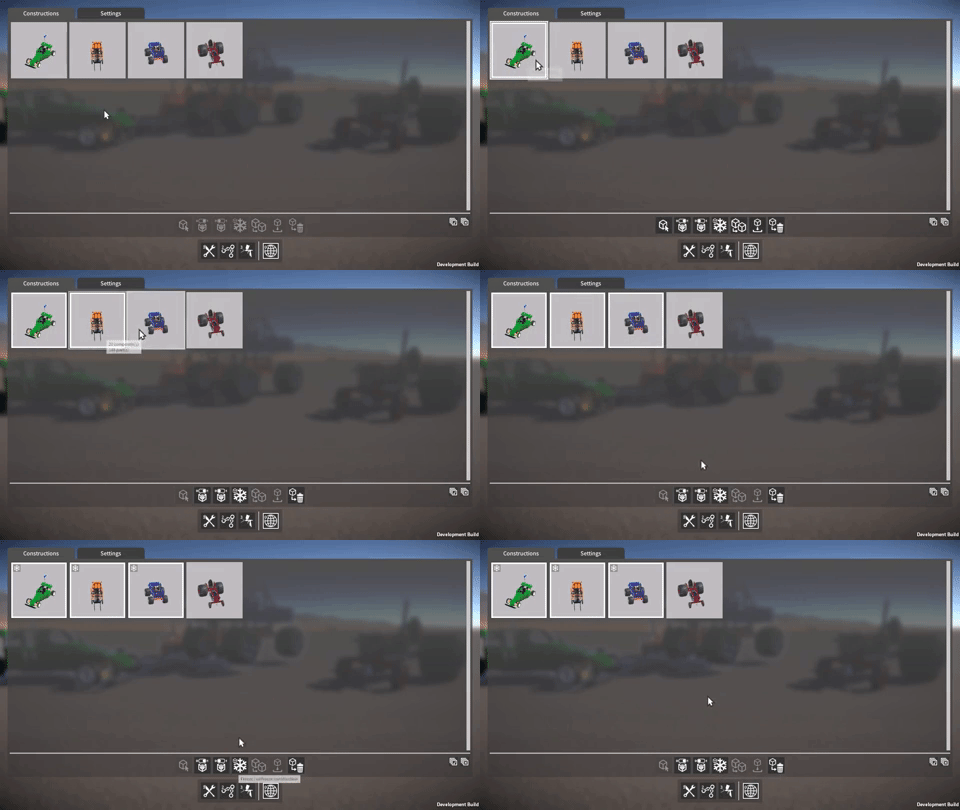
I’ve also modified the world tool construction UI to allow for multi-selection, this allows you to select multiple constructions at once and perform an operation (such as delete, freeze, etc.) on them all in one go.

Dev update Apr / May – part 1
Sorry for the radio silence over the last couple of months. Here’s an update on what’s been happening, there’s a lot to talk about, so I’m gonna break it into two parts!
Collision impacts, and damage
I’ve simplified and optimised the construction modification code and the way attachments are handled. This means that adding or removing parts from large constructions is now noticeably faster, but there’s still more optimisation work to be done in this area.
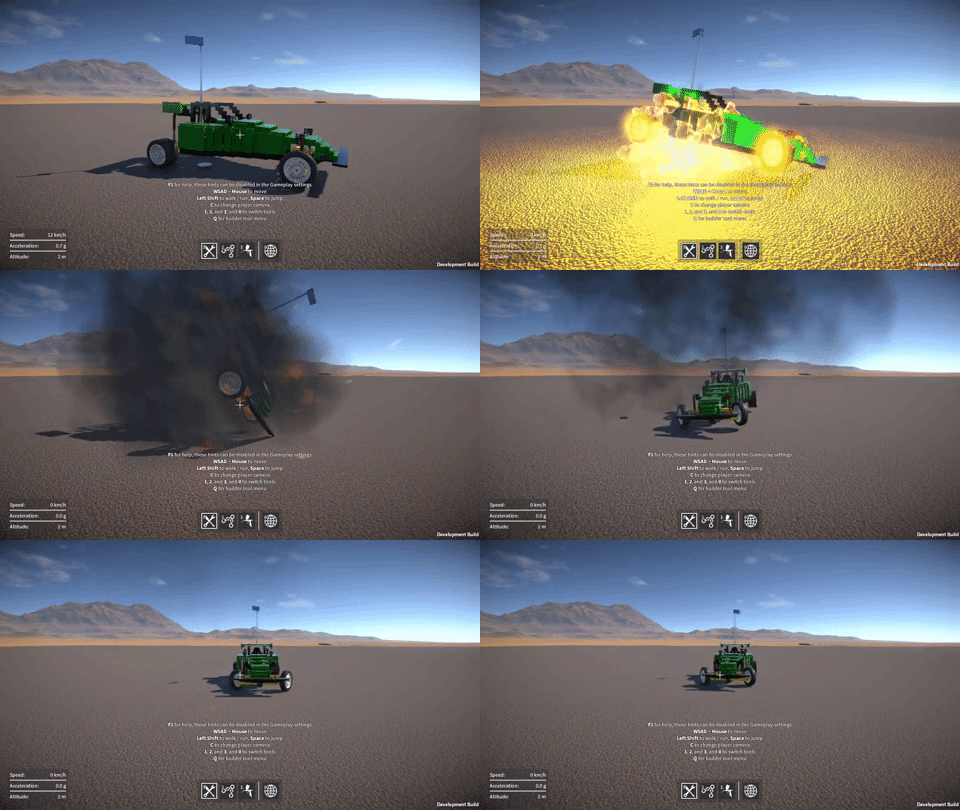
Being able to quickly break attachments without causing frame rate drops is a requirement for the damage system, and I’ve been revisiting this too, fixing a few bugs that had crept in. It still needs more work, but above you can see an example of the damage system in action as it is right now.
On a related note, the collision impact sounds have been a source of complaint for some, and I agree! There are too many collision sounds when parts are merely sliding past one another. I’m currently working on overhauling the collision impact system to make the sounds behave better, and the plan is that this will improve the damage system at the same time.
Servo and stepper motors
It’s been suggested that you should be able to set the servo motor target to angles greater than +/- 90 degrees, this was a perfectly reasonable request and sounds like it should have been an easy thing to do! However, due to the way I was interpolating between the servo’s current and target angle, it would always rotate through the smallest possible angle. Which meant that for a range of greater than 180 degrees it could easily end up rotating in the wrong direction towards the target angle.
I’ve now completely re-implemented the angle interpolation code to work a different way, so that it maintains the correct rotational direction. Now a servo motor’s max angle can be set to +/- 180 degrees.

Likewise, the stepper motor’s step angle can also now be set up to 180 degrees. Here are a couple of examples, one with a step angle of 45 degrees, one with a step of 180 degrees.

I’ve also fixed a bug that would sometimes cause a servo motor’s centre “resting” angle offset to be incorrect after loading a saved game. And finally, I’ve lowered the minimum speed for servos and steppers to 1 RPM, as I think it’s sometimes useful to be able to go that low.


Belt up!
Wow, the past few weeks have been rough as far as productivity goes! First my PC blew its power supply, so I couldn’t work for a couple of days while I was waiting for a new one and then installing it. Then this week I was totally wiped out by a nasty cold and got pretty much no work done all week. I guess that’s the way it goes sometimes, really frustrating though.
Anyway…I have now finished the pulleys and belts, barring a few minor bugs here and there. The belt rendering is now done and working nicely, the belt automatically routes its way around pulleys based on how they are linked together, and seeing the belt really makes the behaviour of the pulleys appear more convincing. Have to say I’m pretty pleased with how it all turned out!
I’ve also added a “pulley whirr” sound that changes based on the pulley’s RPM, and a “belt snap” sound for when the belt breaks (this happens when pulleys move too far from their original position). These details all add to making the pulleys and belts seem “real”!
The last video in this series showcasing GearBlocks player builds from last year, this one themed mostly around cars and trucks. Thanks again to everyone who has played the demo, given me feedback about the game, and shared their fantastic creations!
Here’s part 2 of this player creation’s series, some very cool stuff in this one. The final part will uploaded very soon. Enjoy, and thanks everyone!
GearBlocks Demo 0.5.6628
Time for another long overdue demo release, and an update on what I’ve been working on recently!
Linker tool
After the last update where I talked about the pulleys and linker tool that I was working on, I have since completed the first pass implementation of the linker tool, and links between pulleys can now be set up by the player (rather than being hard coded).
However, the linker tool goes far beyond just pulleys and belts, my intention is that it’ll be a general way to associate various part behaviours together (e.g. batteries, switches, motors, and eventually, more advanced control systems), and this introduces the one major wrinkle I still have to figure out.
The thing is, parts can potentially have multiple behaviours associated with them, which means in theory there could be multiple links between two parts. I need to decide whether to either prevent multiple links (and in which case, how to do this in a way that makes most sense), or allow for them (in which case, how to represent them to the player via the UI, and if the player should have the ability to create links between individual part behaviours).
I also still need to add UI indicators, both to show those links already existing, and a link as it’s being added or removed (right now I’m still using debug lines).
At this point I decided to have a break and work on some other stuff instead, but I will be getting back to the linker tool very soon.
Third person camera

I’ve now added third person cameras to the game, both for when the player is walking around, and for when they’re seated. I debated doing this for a while actually, because I don’t currently have a proper player model, but I finally relented mainly because it’s so much fun to be able to see vehicles from the outside as you’re driving around!
The player models and animations I’m using are just placeholders that I put in ages ago for the prototype multi-player mode. Of course this now forces the issue – I now have to decide what the player character(s) should look like, as well as source the models for them, and put in better animations. Looks like I’ve just created a load of more work for myself!
Wheel physics revisited

OK, this is the big one. It wasn’t supposed to be a big deal, but ended up taking several weeks to sort out! I wanted to build on the “proving ground” aspect of the desert map in the game, so I added some bumps and ramps (for testing vehicle suspension and so on). However this highlighted a significant problem with the wheel physics.
Let’s briefly recap how the wheels worked up until this point. First the wheel finds where it contacts the ground, by firing a Raycast towards it (perpendicular to its rotational axis) to find a contact position and normal. Then, it uses a ConfigurableJoint connected to the wheel’s rigidbody, that every update gets repositioned using the contact data, and has a linear limit set up to provide the collision response. If you’re interested, I did a detailed write up on this a while back: http://tmblr.co/ZzNKAt1D-zxlq
Using a Raycast to find the ground contact point
was acceptable on terrain with a smoothly changing gradient, but fails once other collision shapes besides the base terrain are introduced (such as boxes, spheres, etc.) for the wheels to roll over.

You can see here in this example that the Raycast can’t “see” the box, so the wheel inter-penetrates it. But worse, if the wheel continues to move in the direction shown, the Raycast will eventually hit the box, causing the contact point’s height to change instantaneously, pushing the wheel up with a large impulse.
So I wanted to come up with a new technique to find the contact point that would meet some important criteria:-
- It should ensure that the contact point’s position changes smoothly with no discontinuities.
- It should allow the wheel to accurately roll over box, capsule, and sphere colliders.
- It should not change the wheel’s behaviour on the base terrain (this can be very sensitive, particularly for vehicles traveling at high velocities).
- It should not incur any additional performance cost over the existing solution.
I experimented with many alternative ideas, including using a bunch of BoxCasts to approximate a cylindrical shape, but everything I tried failed one or more of these criteria. That is, until I eventually settled on using a single CapsuleCast in the downward direction, whose radius is the same as the wheel’s.
However this clearly has similar problems to just simply using a CapsuleCollider for the wheel. For example, if the wheel is tilted to one side relative to the ground, we get a contact point outside of the wheel, coming from one of the capsule’s “end caps”. To get around this, I effectively clamp the contact point to be within the wheel’s outer rim, as shown in the diagram below (this time viewing the wheel end on):-

This assumes that the terrain’s gradient doesn’t change too much between the found contact point and the final clamped point!
Another problem is shown here, where the CapsuleCast would find a contact point on the box in this example, not the point on the ground that we actually want:-

To get around this, I simply discard any contacts coming from colliders outside the planes indicated by the dashed lines in the diagram above. So in this example the box’s contact point would be discarded, and the ground contact point is used instead.
So all in all, this technique is a bit of a kludgy approximation of a true cylindrical collider, but it actually seems to work quite well. I’m pretty happy with the results!
Other stuff
I’ve also done load of code refactoring, bug fixes, UI improvements, rendering improvements (post processing effects, lighting), and other miscellaneous stuff over the past few months. Check it all out in the new demo build, have fun!
Part 1 of a series of videos demoing some of the fantastic GearBlocks community builds from last year. I meant to do this at the end of the year, but I was working on adding a third person camera to the game and I wanted to wait until that was in, as it better shows off these creations!
Parts 2 and 3 will be coming soon…