Damage is done

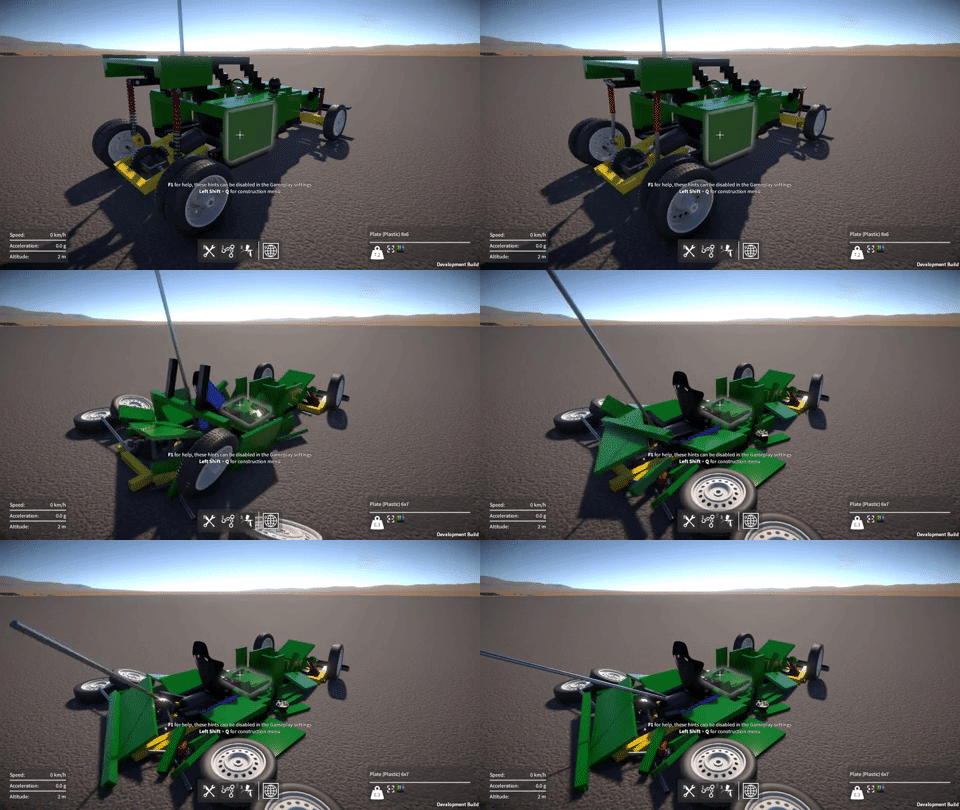
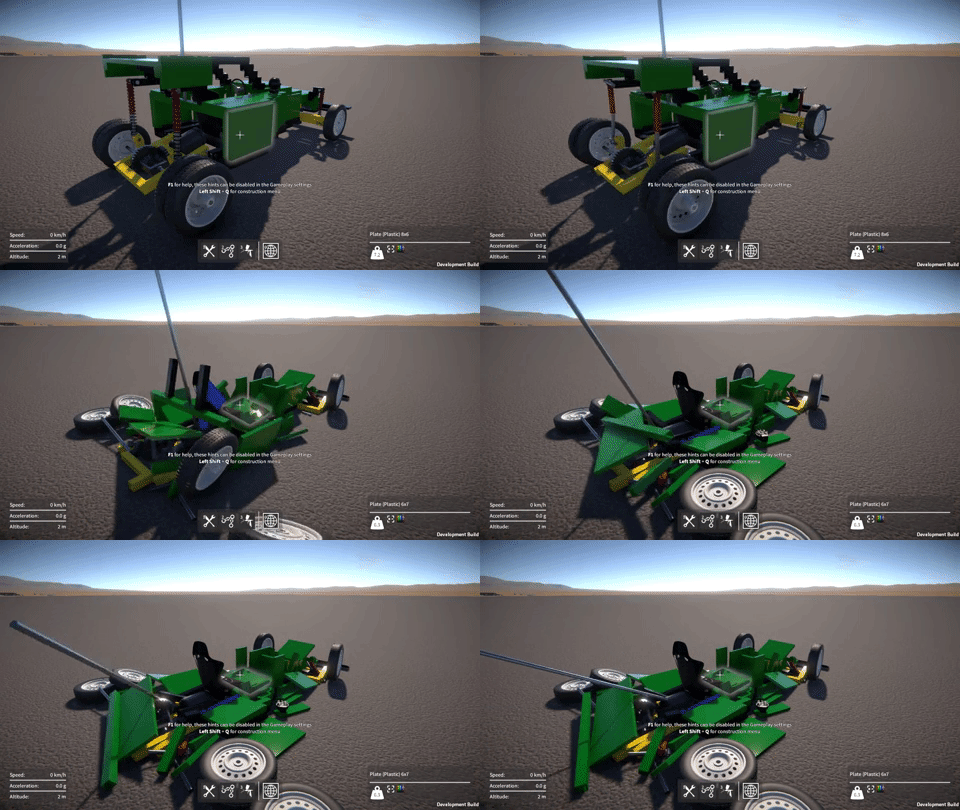
Well, it took me long enough, but finally the damage system is complete!  Most of the time was actually spent doing optimisation work, which I’ve discussed before in previous posts, the damage system itself didn’t take that long to do.

On the idea scrapheap

My original idea for damage was that each attachment between parts (fixed, rotary, linear, etc.) would have a “health” value.  Then upon a collision contact with a part, some damage amount would be propagated out to all of that part’s attachments.  For each attachment, damage would effectively accumulate over time as its health value gradually reduced, until it reached zero at which point the attachment would be deleted.

However, there were problems with this method:-

  • Deleting individual attachments due to damage would lead to inter-penetration issues, just like when you manually delete attachments with the builder tool.
  • Each attachment having a health value would need to be conveyed somehow to the player via a UI, and I couldn’t think of a way which wouldn’t be messy and confusing.
  • Because damage is applied for every collision contact (of which there can be many), the code is quite performance sensitive, and so needs to be as lightweight and simple as possible, which this method wasn’t.

Binary break

So in the end I went with a simpler solution that just uses a “strength” threshold.  When a part receives a collision contact, I simply compare the impact force with the part’s strength value, and if the force is greater than this value, I break the part off (i.e. delete all of its attachments), otherwise I leave it attached.  In other words, a part is either entirely broken off or it isn’t, there’s no intermediate damage state or health values to deal with.

Happily, I found was that there was not really any need to explicitly propagate the damage force to neighbouring parts to achieve a convincing effect.  Direct impacts seem to be enough, I think because as parts break off they hit other parts and the damage sort of propagates organically.

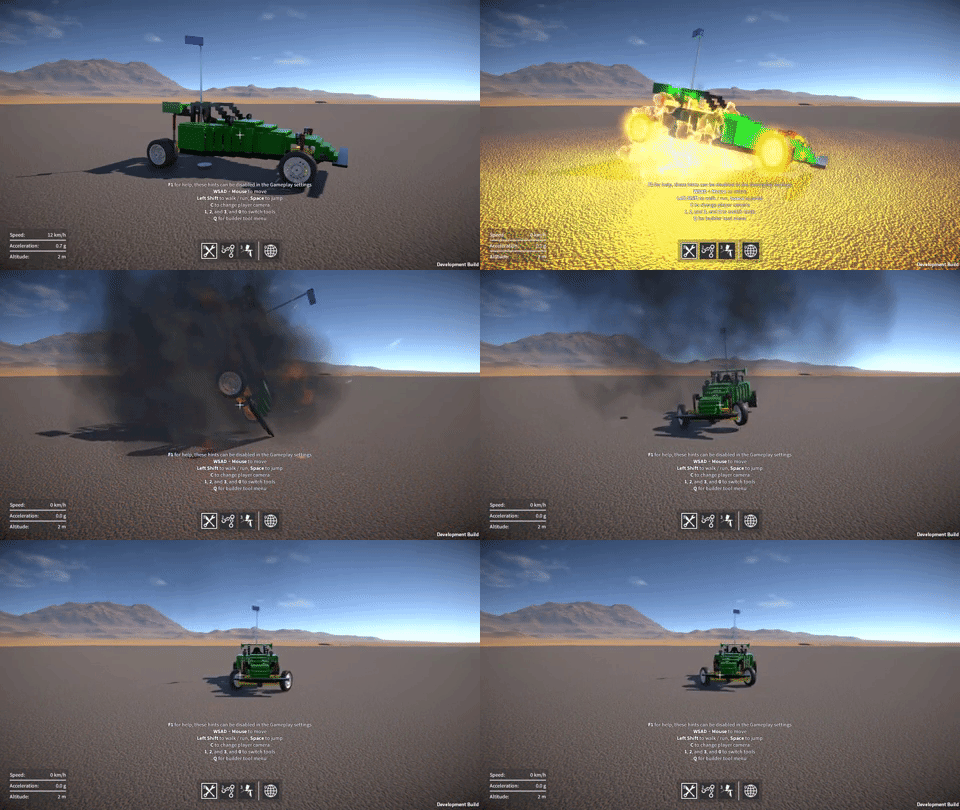
I’ve also finished the implementation of explosives that integrates with the same damage system, in this case the damage force is simply derived from a linear fall off from the explosion centre.  The resultant bits that are broken off then have an explosion force applied to them to push them around, seems to work pretty well.

Lastly, I’ve also added a per-construction setting to enable / disable invulnerability (i.e. immunity from part breakage), as sometimes it could be useful to disable damage for those particularly “experimental” constructions that might try and smash themselves to bits.

Still to do

As I mentioned, each part has a strength value which basically determines how hard it is to break off.  A part’s strength value is intended to reflect the material it’s made from (e.g. steel is stronger than wood or plastic), and I still need to fine tune these strength values to get the balance correct and hopefully give a nice trade off between the various materials.

Also, I’m thinking I might bias each part’s strength value slightly based on the number of attachments it has, so that the more other parts it’s attached to, the harder it is to break off.  Again, hopefully giving the player further interesting trade offs to choose between when building their constructions.

Networking and optimisations

Sorry for the lack of updates for the past couple of months, I was away visiting family and things for some of that time, but I have also made a lot of progress on the game.  So let’s dive in!

Networking layer

Most of my time lately has been spent on networking code.  As I discussed in the previous post, the Unity networking API situation at the moment is unfortunate to put it mildly.  To mitigate against this, I’ve now built a new networking abstraction layer.  This wraps and hides away all direct access to the deprecated Unity RakNet based API that I’m currently using, and should facilitate easier migration to a different networking API in the future.

This was a big task as it touched code throughout the game.  There are four major aspects to the networking API that needed to be eliminated from the game code: Network static API, network messages, NetworkView, and NetworkPlayer.  In more detail:-

  1. Network static API, e.g. Network.isServer, Network.SetSendingEnabled(),
    etc.  These are now only used inside the networking layer (or where
    absolutely necessary, wrapped behind a new API for use in game code).
  2. Network messages, e.g. OnServerInitialized(), OnPlayerConnected(), etc.  These are now only used inside the networking layer, and where necessary propagated out to the game code via events.
  3. NetworkView, used for remote procedure calls (RPCs) and state serialization:-
    1. RPCs.  The new layer now allows game code to register methods,
      then remotely call, and receive them.  Internally this currently is
      still implemented using a NetworkView and RPCs.
    2. State serialization via OnSerializeNetworkView() and BitStream.
      I’ve now implemented a system within the networking layer to
      synchronize state across the network.  Internally this is still
      implemented using a NetworkView, OnSerializeNetworkView(), and BitStream, but none of this is exposed to the game code.
  4. NetworkPlayer, used to uniquely identify a connected player.  Now
    the new networking layer assigns its own ID for each player, and keeps a
    reference to each player’s NetworkPlayer for use internally only

After of all of these changes, the Unity networking API is no longer directly referenced anywhere in game code.  The next step will be to actually change the networking layer’s internal implementation from using the Unity API to something else.  This will likely still be a painful task, but should be far more manageable now than it would have been before.

Construction modification optimisations

In the previous blog post I talked about the optimisations I’d done to the construction modification code (this code deals with attaching and detaching parts).  The performance of this code is particularly important in the context of the damage system which can require a large number of parts to be detached at once.

I have now implemented a GameObject pooling system, which eliminates the last major remaining performance cost, that being the instantiation and destruction of construction and Rigidbody GameObjects.  In the example I showed in the last post (shown again below), the cost of breaking the attachments is now down to less than 10ms (prior to doing any optimisations, it was around 60ms!)

image

There are still more optimisations I can do.  For example, the instantiation and destruction of the attachments between parts are contributing some performance cost (and GC allocs).  Plus, associated with the attachments are the physics ConfigurableJoints between Rigidbodies, which also have to be created and destroyed.  Maybe I could pool these too, something to look at in the future for sure.

But for right now I’m happy enough with the performance that I can get back to working on the damage system.

Damage system

On which subject, I’ll be returning my focus to this next.  I still need to decide how to propagate collision forces to cause plausible breakage of parts.  Also, I’m leaning away from the idea of damage accumulation and attachment “health”, towards more of a probabilistic method, but I’m not entirely sure yet.

Optimisations and explosions

As I’ve alluded to in previous updates, the damage system is still a way off from completion, so that’s what I’ve been working towards over the last month or so.  One challenge is to design a system to propagate and accumulate damage in a way that is, if not realistic, at least plausible, as well as making sense to the player (without being frustrating or annoying).

Before I can get to this though, there is a more fundamental problem.  Breaking parts off a construction due to damage requires efficient construction modification code, and the existing system just isn’t fast enough.

UI Optimisations

The first problem I looked at was with the construction list in the world tool UI.  Whenever a construction is created or destroyed, this list in the world tool UI gets updated accordingly.  When a part gets broken off a construction, it’s re-parented under its own new construction GameObject, and this process was getting slowed down by the world tool UI being updated.

So now the UI elements in this construction list are held in a pre-allocated pool and used / reused as needed, which avoids the performance cost and GC alloc of instantiation when a new entry is added.  Also, the UI update code now queues up any new constructions and only adds one element to the UI per frame, this results in a slight visible delay as the player sees the UI updating itself, but avoids a single frame performance spike.  In fact I made these changes to all other UI screens too that have a large list of entries (for example, the saved game screens).

Construction modification code optimisations

I’ve now also optimised the construction modification code (actually I had to completely restructure it) to be simpler and more efficient.  It now uses fewer server-to-client RPC calls, only one per player operation (operations being things like attaching a part, deleting an attachment, etc.)  There are less GC allocs too, as it now reuses many of the temporary data buffers these operations require.

These changes so far have made a big difference.  I hacked in a key so I can trigger the deletion of all attachments in a construction for testing purposes, as you can see in the example below.  In this example the cost of breaking the attachments went from around 60ms to less than 25ms on my machine, still a significant performance spike, but definitely moving in the right direction.

image

The major remaining performance cost is with instantiating new construction GameObjects, and also the Rigidbody GameObjects that live under them (as I mentioned before, parts get re-parented to these when they’re broken off an existing construction).  So, just like with the UI elements, to solve this I’m going to need pre-allocated pools of these GameObjects.  However before I do this, to make life simpler, I need to remove all references to Unity networking stuff from the constructions.  Which brings me to another issue…

Unity networking API woes

GearBlocks is still using the old RakNet based Unity networking API, which has been deprecated for a while (and now completely removed from Unity 2018.2).  I was waiting for Unity’s replacement for it – UNET, to be a bit more mature before I switched to it, but sadly UNET has now also been deprecated.  Apparently there’s another replacement solution coming at some point
in the future.  Anyway, I guess it’s a good thing I never switched to UNET, it will be supported for another couple of years I believe, but there doesn’t seem much point using it now.  So the upshot is, I’m probably going to have to look for a third party solution.

Whatever networking solution I end up using, one thing is for sure, I really need to abstract the networking API away from the rest of the GearBlocks code as much possible.  This is something I should have done in the first place really, it’ll make changing networking APIs much easier in the future.

So to allow for pooled construction GameObjects, and as a first step towards this abstraction, I’ve now implemented my own world object ID system.  This allows GameObjects to have a unique ID consistent across the server and all the clients, and is now used by construction and part GameObjects.  This allowed me to remove the Unity NetworkView from the construction GameObject (which will make pooling them easier), and move all code for state synchronisation out of the construction and into a central manager that synchronises the state of all constructions together.

The next step in this abstraction effort will be to wrap all the RPC calls (currently scattered throughout the code) behind another interface.  As well as meaning there will then only be one place in the code to modify when I change networking APIs, it will also allow me to remove the NetworkView from part GameObjects too.

Explosives go boom

My future plans for GearBlocks mean that the damage system needs to apply damage not only from collision impacts, but also from explosives.  So I had some fun adding a simple placeholder explosive that’ll serve as a good test for now.  Right now it only applies a force to nearby objects, it doesn’t do any damage yet, that’s something I’ll have to work on soon!

image

Glitch fixes, demo update soon

Last week I fixed a problem that someone found while playing the demo, player feedback is so valuable and always much appreciated by the way!  Here’s the scenario; the player deletes a jointed attachment (e.g. rotary, slider, etc.) between two intersecting parts, but the parts still belong to the same construction after the deletion.  Physics will consider these parts to be inter-penetrating, and if the construction is unfrozen, it’ll try to force them apart.  This can sometimes cause your constructions to jump all over the place like they’re possessed.  Here’s an example of the problem.

image

The solution I came up with was to keep track of the intersections left after attachment deletion, and prevent the construction from being unfrozen until they are resolved.  The player can do this by deleting other attachments until the intersecting parts are no longer part of the same construction.  Any unresolved intersections are now shown by a red cross as can be seen below.

image

I’ve also been working on a bunch of bug fixes, mostly regressing issues introduced by recent changes.  Another more serious problem was a crash that sometimes happened when quitting the game, the Unity error log didn’t point to anything obvious in my script code, and I couldn’t find any other devs on the forums having a similar issue.  After a lot of trial and error I found which version of Unity introduced the problem.  So I rolled back to 2017.4.2 for now, any 2017 version after this seems to have the crash (I haven’t tried any 2018 releases yet).  I don’t know what was changed that caused this crash, I didn’t find any clues in the Unity change logs.  After the next demo release, I’ll just upgrade to the latest 2018 build and with any luck the issue won’t reappear.

Speaking of the demo, I should be ready to put the next update out in a day or two.  I finally got my new video card today to replace the one the died, so I’m now able to do some final testing before the release.

Collision exposition

As I mentioned in the last dev update, I’ve been working on re-implementing the collision contact system, which is used for triggering impact sounds and applying damage to constructions.  I’ve now finally completed this work, not without some challenges along the way though, and it ended up taking far longer than I was hoping.  Not to mention my video card died and my Internet connection went down last week, fun times!

Apologies for the wall of text, but here’s my attempt to explain what I’ve been up to.

Impact overload

The old collision code dated from the early prototype days, and simply played an impact sound (and applied damage to the construction) directly in the OnCollisionEnter() event handler.  This event gets triggered once for every collider pair that makes contact, which can end up being a lot particularly if there are many moving parts in a construction, and meant that way too many impact sounds were being triggered concurrently.

Also, I’ve been working on adding sliding sounds for when parts slide past one another.  This requires continuously tracking collision contacts, for which I use the OnCollisionStay() event.  Again, this event gets triggered once for every contacting collider pair, except that unlike OnCollisionEnter(), it gets called every fixed update for the duration that the colliders are contacting one another, so the performance cost of any code in the event handler becomes a real concern.

Unity performance woes

On the subject of performance, the overhead for Unity to collect the collision contact data is one thing, but what I find even more frustrating is the way it must be accessed.  For every single collision contact, a call from the Unity engine (unmanaged C++ code) into the C# script is made via an OnCollision…() event, with an attendant GC alloc for the collision data being passed into the event handler.  This means in my “worst case” tests where I had thousands of collision contacts per update, I was seeing a performance cost in the tens of milliseconds, and thousands of GC allocs totaling a few MB.  This cost is just for reporting the collision contacts, and does not include the physics sim update or anything else.

I wish it were possible to access all of the per update collision contact data in one call, preferably into a pre-allocated buffer, but for now we’re stuck with the OnCollision…() events.  Hopefully at some point Unity will improve this situation!

I tried to find a way of eliminating OnCollisionStay() while still keeping the sliding sounds working.  It seemed like it should have been possible because you can still keep track of what colliders are currently contacting by using OnCollisionEnter() / OnCollisionExit(), and then get the velocities from their rigidbodies.  Unfortunately what you don’t have is the new contact position and normal each update, which are required to calculate the relative velocity at the point of contact, necessary for the sliding sounds to work properly.  I tried fudging my way around this by estimating these values, but couldn’t come up with a solution that worked reliably.

In the end I resigned myself to keep using OnCollisionStay(), and turned my attention to optimising the code inside the OnCollision…() event handlers as much as possible, and consolidating the collision event data into something more manageable.

Discard and merge

The first step was to discard any collision contacts whose separation is larger than a small threshold value, happily this eliminated most of the spurious impact sounds that were being triggered when parts were merely sliding past one another.

The second part was to merge collision contacts such that for each update, only one contact is considered per Rigidbody pair / PhysicMaterial combination.  This means that, for example, a construction with a large number of parts all made of the same material and all rigidly attached together will only generate one impact or sliding sound.  The most important thing was to perform this merging as efficiently as possible because the OnCollision…() events can be called so frequently; it was crucial to avoid any computation, conversion, GetComponent…() calls, etc. inside the event handlers.

To keep track of the currently active contacts, the system now uses a dictionary whose keys are a struct containing the two Rigidbodies and the PhysicMaterial (these are all available directly from the data passed into the event handlers).  The dictionary’s values are a struct containing the contact position and normal, the merging happens by only keeping this data for the contact with the smallest separation, the rest are discarded.  Then every update this dictionary of active contacts (of which there aren’t that many due to the merging) is looped over, calculating the required relative velocities, and updating the sliding sounds accordingly.

To mitigate the OnCollisionStay() performance overhead further, I also added an option in the game-play settings to disable it, for players with low end machines and / or particularly complex constructions.  This effectively disables the sliding sounds, but the impact sounds still work, so it’s not the end of the world.

Audio materials

Once ready to trigger an impact or sliding sound, I wanted to add some variety and sophistication to the sounds, while also making configuration easier.  So now, rather than each part explicitly referencing which AudioClips to use, the system automatically maps from the PhysicMaterial to an “audio material”.  Each audio material specifies the AudioClips to be played on impact and during a slide.  The pitch of these sounds are scaled based on the mass of the part that is colliding, and there can be different AudioClips chosen based on the pitch scaling factor.

I also added support in the audio materials for a “rolling sound” (played based on the angular velocity of a part when it’s contacting something).  This allowed me to make the wheels (which have had sliding and rolling sounds for some time now) use the same unified system.  I do love me some unification!

AudioSource pools

Despite the aforementioned reduction in number of collision sounds being triggered, there’s still no real limit on how many could be triggered concurrently.  Also, each part behaviour might have a sound playing (e.g. motor whine, gear whirr, propeller wash, etc.) which is only limited by the number of active part behaviours.

To bring this situation under control and place a hard cap on the number of AudioSources, I implemented a pooling system.  This pre-creates a fixed number of AudioSources and keeps track of which ones are currently in use.  The collision contact system and the part behaviours can request to play an AudioClip via the pool, and if a free AudioSource isn’t available the request is ignored.  Once an AudioClip has stopped playing, the corresponding AudioSource in the pool is automatically freed up to be available for a future request.

Damage propagation

In the game, damage (based on the collision impulse) is only dealt with in the OnCollisionEnter() event handler, not OnCollisionStay().  However I still wanted to optimise this as much as possible, so rather than applying damage directly in the handler, it is now accumulated over an update.  The total damage is then applied once per update (this is where the damage is divided up and propagated out to part attachments).

I still have some work to do on the damage system but this at least moves the code out of the event handler, and means that if I need to increase the complexity of the damage propagation code, it shouldn’t affect performance too much.  This is a topic I’ll be revisiting in a future update.

Dev update Apr / May – part 1

Sorry for the radio silence over the last couple of months.  Here’s an update on what’s been happening, there’s a lot to talk about, so I’m gonna break it into two parts!

Collision impacts, and damage

I’ve simplified and optimised the construction modification code and the way attachments are handled.  This means that adding or removing parts from large constructions is now noticeably faster, but there’s still more optimisation work to be done in this area.

Being able to quickly break attachments without causing frame rate drops is a requirement for the damage system, and I’ve been revisiting this too, fixing a few bugs that had crept in.  It still needs more work, but above you can see an example of the damage system in action as it is right now.

On a related note, the collision impact sounds have been a source of complaint for some, and I agree!  There are too many collision sounds when parts are merely sliding past one another.  I’m currently working on overhauling the collision impact system to make the sounds behave better, and the plan is that this will improve the damage system at the same time.

Servo and stepper motors

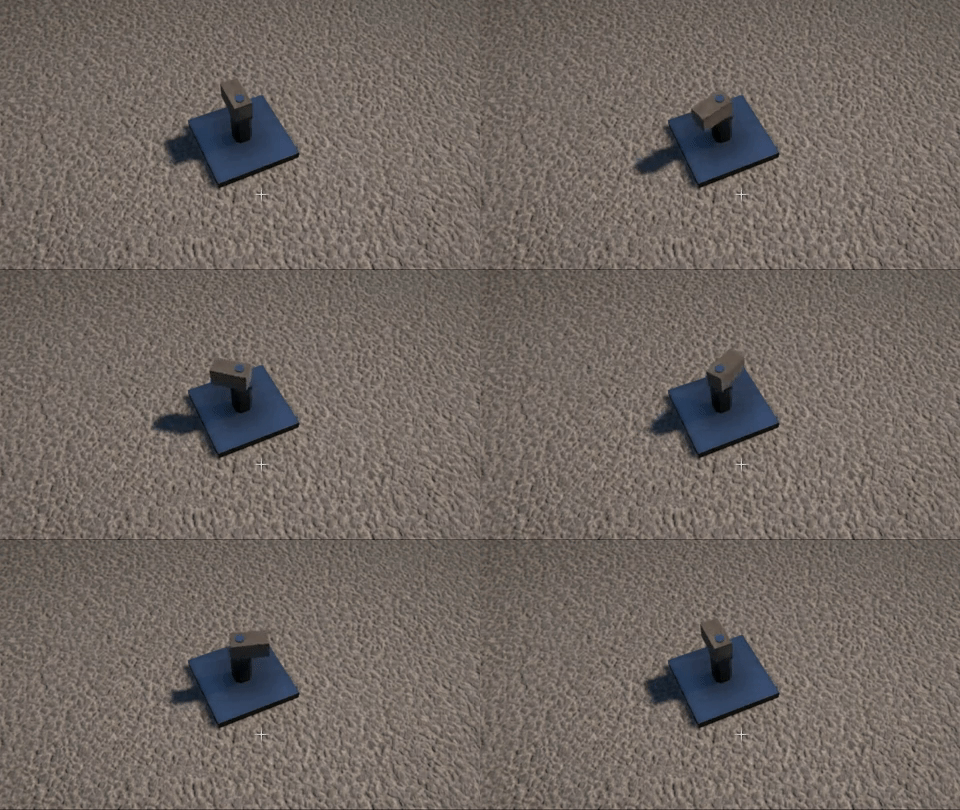
It’s been suggested that you should be able to set the servo motor target to angles greater than +/- 90 degrees, this was a perfectly reasonable request and sounds like it should have been an easy thing to do!  However, due to the way I was interpolating between the servo’s current and target angle, it would always rotate through the smallest possible angle.  Which meant that for a range of greater than 180 degrees it could easily end up rotating in the wrong direction towards the target angle.

I’ve now completely re-implemented the angle interpolation code to work a different way, so that it maintains the correct rotational direction.  Now a servo motor’s max angle can be set to +/- 180 degrees.

image

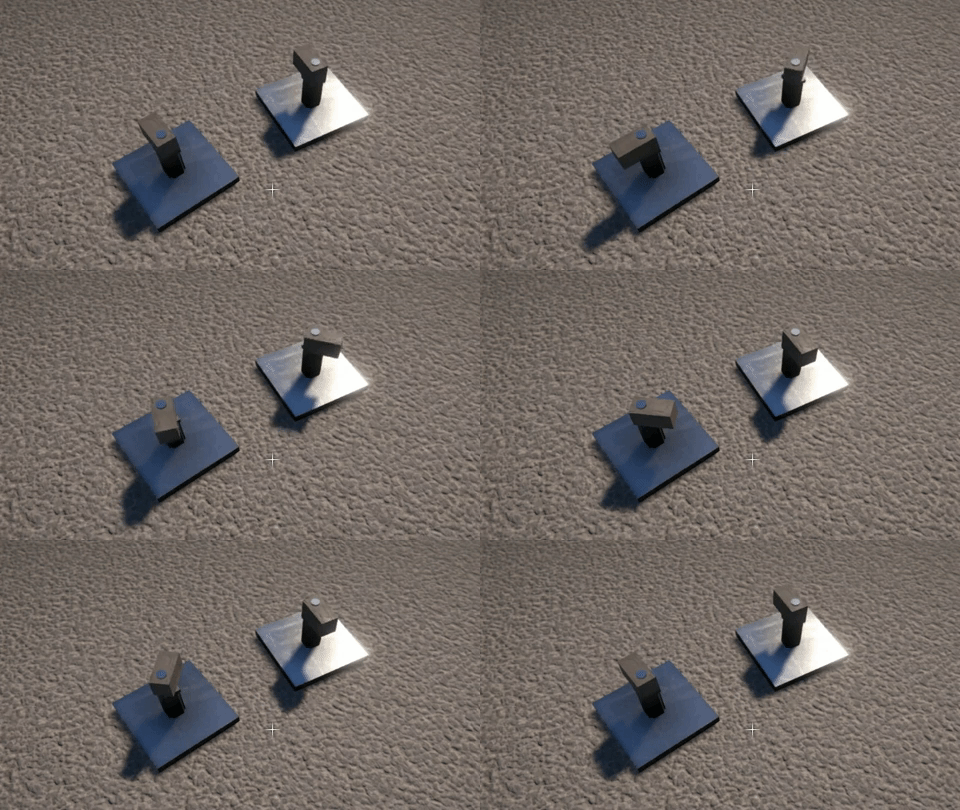
Likewise, the stepper motor’s step angle can also now be set up to 180 degrees.  Here are a couple of examples, one with a step angle of 45 degrees, one with a step of 180 degrees.

image

I’ve also fixed a bug that would sometimes cause a servo motor’s centre “resting” angle offset to be incorrect after loading a saved game.  And finally, I’ve lowered the minimum speed for servos and steppers to 1 RPM, as I think it’s sometimes useful to be able to go that low.

Belt up!

Wow, the past few weeks have been rough as far as productivity goes!  First my PC blew its power supply, so I couldn’t work for a couple of days while I was waiting for a new one and then installing it.  Then this week I was totally wiped out by a nasty cold and got pretty much no work done all week.  I guess that’s the way it goes sometimes, really frustrating though.

Anyway…I have now finished the pulleys and belts, barring a few minor bugs here and there.  The belt rendering is now done and working nicely, the belt automatically routes its way around pulleys based on how they are linked together, and seeing the belt really makes the behaviour of the pulleys appear more convincing.  Have to say I’m pretty pleased with how it all turned out!

I’ve also added a “pulley whirr” sound that changes based on the pulley’s RPM, and a “belt snap” sound for when the belt breaks (this happens when pulleys move too far from their original position).  These details all add to making the pulleys and belts seem “real”!

GearBlocks Demo 0.5.6628

GearBlocks Demo 0.5.6628

Pulleys and belts

Apologies for the lack of updates lately!  I’ve been working on implementing pulleys and belts in the game, and I was hoping to get them finished before posting an update.  However, as always seems to be the way, they’re taking longer than I expected.  They’re not quite done yet, but I have made enough progress now that it’s worth talking about where things are at.

Pulley physics

The first thing I had to figure out was how to physically constrain a pair of pulleys together such that they would transfer motion and torque correctly.  My plan was to use PhysX constraints (as exposed by Unity’s ConfigurableJoint) to accomplish this, in the exact same way I do for gears.

However, pulleys differ from gears in two important respects:-

  1. Pulleys transfer motion and torque over a distance, through the belt that connects them (unlike engaged gears, which must always be adjacent to one another).
  2. A pair of pulleys linked by a belt rotate in either the same direction or opposite directions, depending on whether the belt is in an open or cross configuration respectively (unlike a pair of engaged gears, which always rotate in opposite directions).

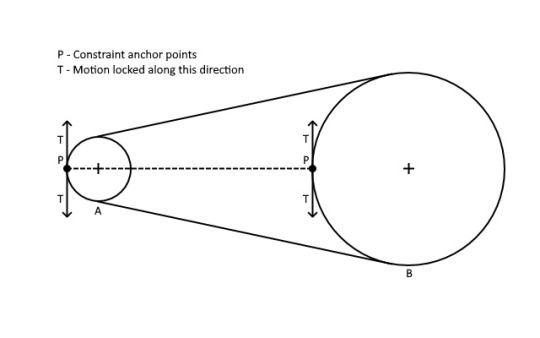
The first idea I tried was to set up a constraint whose anchor points were positioned on the edge of each of the pulleys, with motion locked along the tangent vector as shown below for two pulleys A and B:-

image

However, this didn’t work well at all because the constraint anchor points were separated by such a long distance.  The pulley motion was unstable at anything other than very low RPMs.

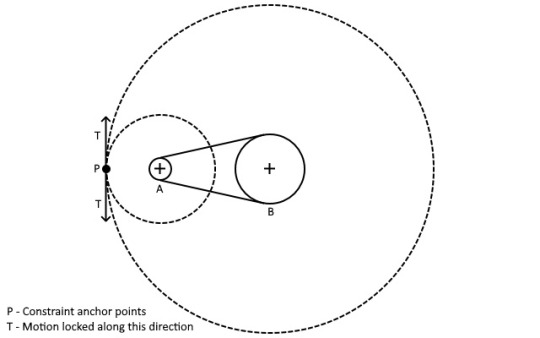
So the next approach I tried was to instead calculate the two circles centered on each of the pulleys, whose radii are in the same proportion as the pulley’s, and whose edges touch each other.  Then I placed the constraint anchors on the edge of these circles, represented by the dotted lines in the diagram below for the two pulleys A and B (again, motion is locked along the tangent vector):-

image

Note that these dotted circles are only used to position the constraint anchors, they aren’t visible and don’t interact with the world in any other way!

This method seems to work pretty well, it also easily allows for a cross configuration belt in a similar manner (by calculating proportioned circles whose edges instead touch in between the two pulleys, and positioning the anchor points where they touch).

Implementing pulleys in game

Actually getting the pulleys functional in the game required a lot more work beyond just the physics constraints.  I wanted to allow the player to link an arbitrary number of pulleys together in whatever order they like, to form a chain that determines the route the belt takes through the pulleys.

For this I created infrastructure to associate or “link” parts together (or more specifically: link their part behaviours together).  This needed to generalise beyond just pulleys, because I plan on also using it to link other parts together in the future (e.g. batteries, switches, motors, and eventually, more advanced control systems).  It also needed to facilitate restrictions being applied (for example, in the case of pulleys, only allow linking if the pulleys are coplanar, and only allow each pulley to be linked to a maximum of two others).

Based on the order the pulleys are linked together, I also implemented a system to automatically calculate the belt routing (i.e. which side of each pulley the belt should go), which is then used to determine whether to use an open or cross configuration for the constraint between each pair of pulleys, as well as for positioning the visual representation of the belt.

I wanted pulleys to be able to move around slightly when the construction is unfrozen, but obviously there’s only so far a belt can plausibly stretch!  So I wrote some code to deactivate the belt (both constraints and rendering) when any of the pulleys move too far from their original position, giving the appearance that the belt “broke”.

This work is complete now, and the pulleys are working in game.  There are still a couple of major pieces left to do however:-

  1. Right now the links between the pulleys are hard coded just so I have something to test with.  I still need to make a linker tool to allow the player to create and destroy the links themselves, as well as a UI to show these links.
  2. Currently I’m just using debug draw lines to visual represent the belt, so I need to implement some code to generate a proper render mesh for the belt.

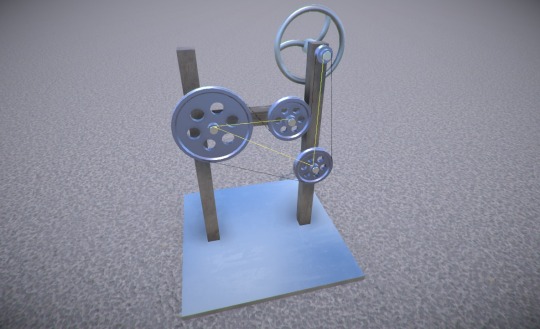
But for now, here’s an example of some pulleys linked together, the yellow debug lines showing the links, and the black ones representing the belt:-

image

So lots left to do, but this should be really cool once it’s done, and I’m excited about the possibilities that the linker tool will allow for with other parts in the future!

Controls, architecture, events galore…and worms

It’s been a few weeks since the demo release, so it’s high time I think for an update on what I’ve been working on since then!

Rotation controls

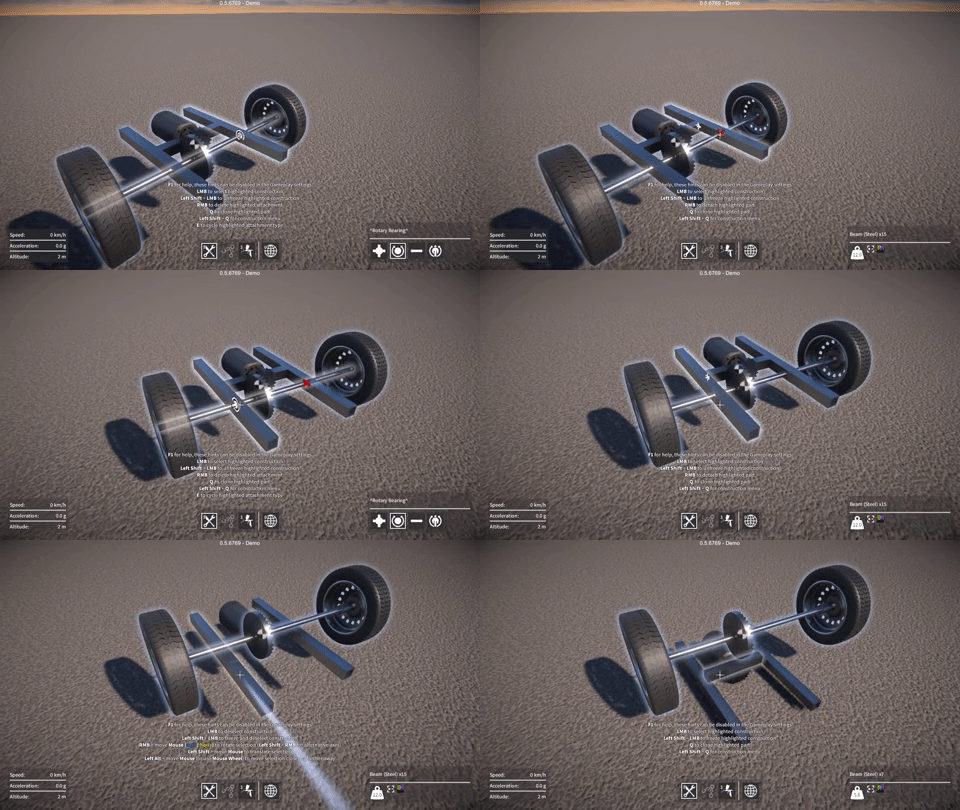
As I’ve mentioned in the past, I’m still not entirely happy with the construction interface.  One aspect of this is the way you rotate the selected part while aligning it to another part prior to attaching it.  The current method of using the mouse to rotate around various axes is OK once you get used to it, but I worry that it’s a bit awkward to use, particularly for people new to the game.

So I tried prototyping a system where you use a key to cycle between the available orientations.  The trouble is, there can be up to 24 possible orientations (e.g. 6 sides on a block, and 4 orientations per side, so 6 x 4 in total).  I found this to be way too many to cycle between and was rather frustrating to use.

So I tried breaking it up into cycling between alignment axes (e.g. the 6 sides on a block) with one key, and cycling between the 4 possible orientations around the current alignment axis with another key.  This was a bit better than using just one key, but still didn’t feel good to me.  Perhaps this was because it was sometimes hard to tell which way the part had just rotated, or which way it was about to rotate on the next cycle.

I’m not sure that these ideas offer much, if any, improvement over the current mouse based method of rotating.  Oh well, another failure!  I guess you have to try these things, but I’m gonna leave this for now.

Game events

In order to keep the different code modules in GearBlocks decoupled from each other, I used messages (i.e. Unity’s SendMessage) to communicate between them.  I wasn’t that happy with the way SendMessage uses a string lookup for the method name though – not very efficient, and there’s the possibility for name mismatches.

So I switched all of these messages over to use Unity’s event system.  Events are now specified in interfaces that derive from IEventSystemHandler, and any code that needs to receive a particular event implements the relevant interface.  To send an event to a game object, I use Unity’s ExecuteEvents helper functions.  I created a system that multiple game objects can register themselves with to receive a particular event, to allow for efficient event broadcasting.

UI events

Not to be confused with the event system, Unity also has something called UnityEvents.  These are great for when you want to hook up event handlers to events in a scene or prefab, rather than via code.  I found these perfect for my UI code, so I switched this code over from using C# events to instead use UnityEvents.

Code architecture

The GearBlocks code was long overdue for some reorganisation, in particular I wanted to divide all the modules up into relevant namespaces.  This is really valuable because it can highlight bad or unexpected code dependencies, and helps enforce a clear code hierarchy.  Once I did this I found one or two suspect dependencies that I had to fix, but nothing too bad fortunately.  It definitely feels better to have the code nicely organised now!

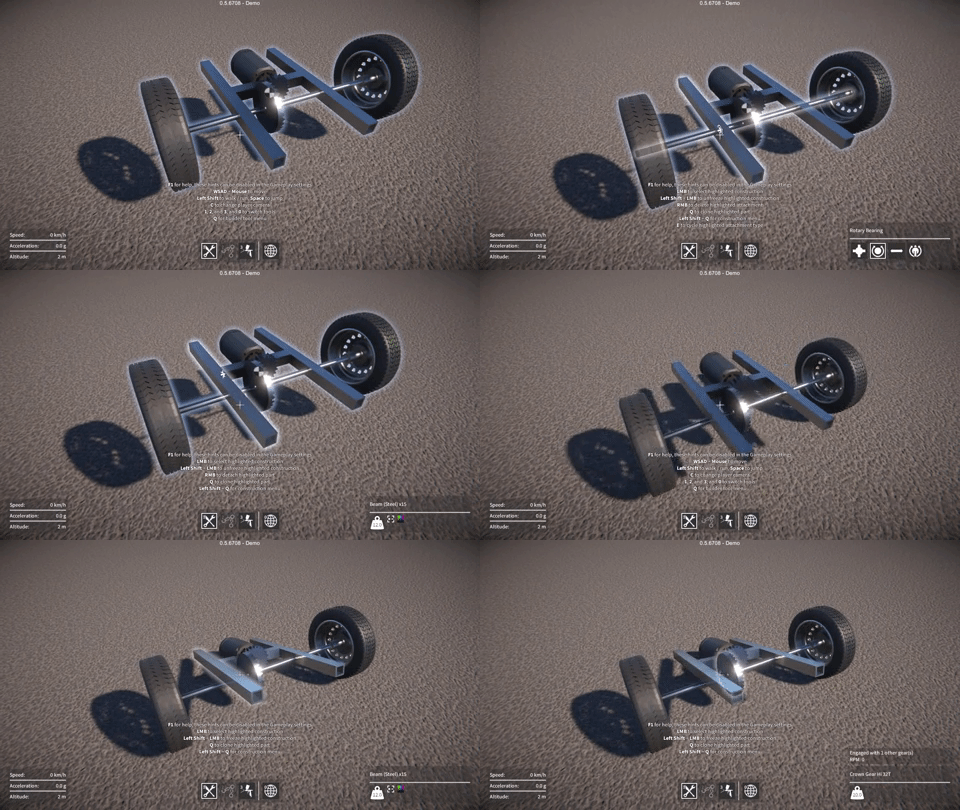
Worm gears

Finally, last week I implemented worm gears in the game.  Happily, my plan for how to set up the physics constraints for this worked out first time!  The implementation still needs one or two tweaks, but I’m pleased with how it turned out.  As part of this effort I also simplified the existing gear engagement code somewhat, which should make it slightly more efficient.