As I haven’t put out an update in over a month, I thought it’d be a good idea to explain what I’ve been working on. Be warned, this is gonna be long (and probably tedious)!
As I alluded to in an earlier post, I wanted to come up with a better system for determining attachment points between parts when the player is building their constructions. The existing old implementation (which had been around since the initial prototype) had some fundamental problems and was long overdue for replacement. I’d been putting this task off since it’s a big job to re-implement such a core part of the game (during which the game is basically broken) but finally the time came to tackle it!
Construction system overview
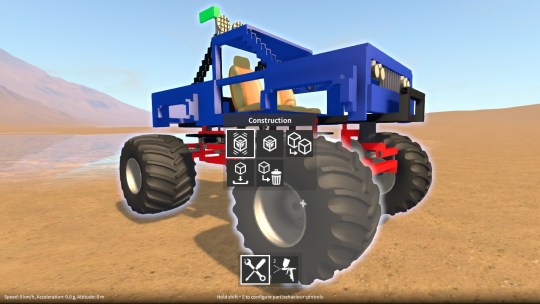
Before I get into implementation details, let me describe the construction process a little. Here’s the scenario; the player has a part selected (which may be part of a larger construction consisting of many parts), they rotate their selection to the approximate desired orientation, and highlight another part with their cursor (again, which may be part of a larger construction) at roughly the location where they want the selected part to go. During which the construction system continually ensures that their selection is aligned correctly to the highlighted part, and checks that attachment is allowable. Once the player is happy they can opt to finalise the attachment, in so doing merging the two constructions together.
So, every frame, as the player moves their selection and / or highlight location, the construction system must update itself in order to be ready for merging the two constructions together. There are essentially two phases to this update.
Phase one – alignment
Automatically align the selected part to the highlighted part:-
- Search for two alignment points, one in the selected part that is closest to the position at which the player has selected it, one in the highlighted part that is closest to the position at which the player has highlighted it (while prioritising some alignment points over others, as well as ignoring some others, e.g. those that can have no valid pairing between the two parts).
- Make the two alignment points line up by repositioning and reorienting the selected part (and thereby the construction it is part of) relative to the highlighted part. This is what “snaps” parts together.
Phase two – attachment search and validation
Based on the current relative locations of all the parts in the selected and highlighted constructions (after being aligned by phase one) it must then:-
- Determine if the two constructions are allowed to be merged together, the rules for this are:-
- There must be at least one valid attachment between one part in the selected construction and one part in the highlighted construction.
- No parts in the selected construction can be interpenetrating those in the highlighted construction, unless they have a valid attachment between them.
- Find a list of valid attachments between pairs of parts in the two constructions. These will be used to create joints (hinges, sliders etc.) if the player chooses to merge the two constructions together.
The first phase isn’t a big deal because it only ever has to search the alignment points within two parts. However, the second phase (at least naively) needs to compare every alignment point in every part in the selected construction against every alignment point in every part in the highlighted construction. This O(n^2) type of search is obviously not practical as it would quickly get very slow with larger constructions (or even with parts that have many alignment points). A more optimal approach is needed and this is the crux of the problem.
The old solution – physics collider contacting
Early on in the project, rather than creating my own spatial search system, I decided to try and simplify things by making use of Unity’s physics in order to help with the second phase attachment search described above. At a high level, this worked as follows:-
- Use Unity’s OnCollisionStay method to detect which part’s colliders in the selected construction are colliding with those in the highlighted construction. For each pair of parts for whom there is such a collision:-
- Take all the contact points from the collision and average them.
- Store this average (along with which two parts are contacting) in a contact list.
- For each entry in the contact list:-
- Use its location to search for the alignment point closest to it in the first part.
- Take the alignment point found in the first part and use it to search for the alignment point closest to it in the second part.
- If a matching pair of alignment points is found, it will form an attachment.
- If such an attachment is not formed and parts are interpenetrating (not merely adjacent), then bail out early, as merging of the two constructions is disallowed.
- Otherwise, if an attachment is found, then add it to a list that can be used to create the joints (hinges, sliders etc.) when merging the two constructions.
As a side note, you may wonder why I used OnCollisionStay rather than OnCollisionEnter and OnCollisionExit. That’s because if the player moves parts relative to each other but their colliders don’t happen to exit and re-enter, I wouldn’t get updated contact points.
Problems
Despite serving fairly well for a long time, this implementation had some fundamental issues that I was never able to satisfactorily work around:-
- OnCollisionStay is called from Unity once per fixed update (except when the frame-rate drops below the fixed update rate!), whereas the resultant collider contact list was used in the frame-rate dependant update (to update the list of attachments). Despite using some tricks to get around this, at low frame-rates I found that the contact list would be empty on occasional updates, causing construction merging to momentarily be incorrectly disallowed.
- For some parts the averaged collider contact points weren’t always close enough to the alignment points to guarantee that a matching pair of alignments would be correctly found. Again, this meant that construction merging would sometimes be incorrectly disallowed.
- The rigidbodies of the selected construction have isKinematic enabled so that the player can move the selected construction around. This meant that in order for collisions with a highlighted, frozen construction to register, the frozen construction’s rigidbodies couldn’t also have isKinematic enabled. Instead, the rigidbodies in frozen constructions had their constraints set to RigidbodyConstraints.FreezeAll so that physics was still active on them, with the performance cost that implies. This cost ramped up dramatically if two large constructions were being aligned together with a lot of colliders interpenetrating each other.
- Also, I found that using the rigidbody constraints to freeze them doesn’t work that well in Unity 5, not only does it wipe out the inertia tensor (which I had to restore every time after unfreezing), but also there seems to be a frame or so delay before freezing takes effect.
- In order to find surface to surface attachments between adjacent (but not interpenetrating) parts, I had to scale up their colliders slightly so that a collision would be detected between them. Not a big deal, but kind of hacky.
In short, this method was buggy, slow, and would make upgrading to Unity 5 awkward.
The new method – bounds checking and alignment grids
I decided I needed to break my dependency on using Unity physics for solving this problem. This would avoid the fixed update vs. frame update problems as well as the frozen rigidbody performance costs and issues.
The solution I’m currently working on goes somewhat like this:-
- Each construction has a bounding volume hierarchy to encapsulate their part’s bounds. These are used to find which parts in the selected construction have intersecting bounds with those in the highlighted construction, in which case they are likely to be interpenetrating or adjacent.
- For each pair of potentially adjacent / interpenetrating parts found:-
- Compare the alignment points in one part against those in the other to find a matching pair (there could potentially be multiple matching pairs, in which case just use the first pair found). Comparing individual alignment points between two parts would be too slow, so instead I take advantage of the fact that alignments are often arranged in a planar grid pattern (e.g. those on the surface of a plate or beam part). This allows a whole grid of alignments to be compared against another grid of alignments in one step, much more efficient than comparing each alignment individually.
- If a matching pair of alignment points is found, it will form an attachment.
- If such an attachment is not formed, use the two part’s collider shapes to do a proper interpenetration test. If they are interpenetrating, then bail out early, as merging of the two constructions is disallowed.
- Otherwise, if an attachment is found, then add it to a list that can be used to create the joints (hinges, sliders etc.) when merging the two constructions.
Still to do
Right now I have a good portion of this new solution working, including the new alignment grid system, but there are still two major pieces left to do:-
- Currently there’s no bounding volume hierarchy (I’m just comparing every part’s bounds in the selected construction against those of the the highlighted construction). I haven’t decided on what type of BVH to use yet, probably K-d tree or octree.
- The part collider intersection test isn’t done yet. Because I’m not using physics for this anymore, I’ll have to take the collider shapes (boxes, spheres, capsules etc.) and perform my own intersection tests with them.
Once this is all done, the new construction system won’t seem much different from the outside to the player. However, it will be more stable, perform better, and remove one more roadblock to the Unity 5 upgrade.
Speaking of which, the Unity 5 upgrade is what I want to look at after, although I may put together some stuff for another demo release first, we’ll see!