Happy New Year!

Well, 2016 has certainly been, shall we say, an “interesting” year!  Perhaps many people will be glad to the see the back of it, but somehow I’ve a feeling 2017 won’t be any less eventful.  Anyway, here’s hoping the new year brings good things to you all!

Back in my little GearBlocks corner of the world, in many ways things have progressed pretty well this year, getting through the Unity 5 hurdle was definitely a big step forward.  I’m a bit frustrated to not be further ahead with the game generally by now though.  I’ll just have to keep chipping away at it, it’ll get there eventually.  I’m very appreciative to all those of you who have played the demo, built some amazing creations, and given me really useful feedback.  It helps motivate me to keep going!

Over the past couple of months I’ve been working on a bunch of different things.  I was looking at improving the construction controls, but kinda got stuck with “designer’s / programmer’s block” if you can call it that.  So while thinking on this some more, to keep progress going I did several other smaller tasks:-

  • Made a load of new parts (gears, control wheels, suspension parts, connectors and more).
  • Added more user settings (e.g. mouse look sensitivity and camera FOV).
  • UI tweaks.
  • Rendering effects.
  • Unity upgrade.
  • Bug fixes.

Next week I plan on going back to the controls improvements, mustn’t procrastinate any longer!

Dev update

It’s been a while since the last update, so I thought I’d do a quick post on what I’ve been up to!  A couple of weeks were taken up with travelling back to the UK for a bit, and I was sick all last week which took me out of action unfortunately.  I have been working on the game though over the past several weeks…

First person controller

The current first person camera controller in the game is basically a prototype implementation.  It’s buggy and missing a lot of features, for example: camera smoothing, crouching, head bob, and so on.  My plan was to switch over to the excellent UFPS from Opsive (available on the Unity asset store: http://u3d.as/2Jc) which has all these features and more.  Unfortunately that didn’t work out, mainly because I couldn’t bring across only the code I wanted from UFPS (character and camera controller) without either modifying it or also including a lot of other stuff I don’t need (e.g. inventory, weapons, damage etc.)

I think UFPS is great as a starting point for a first person game, but trying to integrate it in at this late stage of a project probably isn’t practical.  So now my plan now is to keep what I have and gradually improve it, probably stealing code from UFPS as necessary!

Deprecated networking API

I have a rudimentary networked multiplayer mode for GearBlocks, and in fact even the single player mode runs through the same code paths.  I want to keep this working so that I have a good starting point should I wish to revisit multiplayer in the future.  Right now I’m using the old Unity networking API, which was causing a bunch of annoying “obsolete API” compiler warnings, because it’s recently been deprecated in favour of their new system, UNET.

I looked into what it would take to upgrade to UNET, using their high level API (HLAPI).  Unfortunately there were all sorts of awkward problems with this (like needing to derive from NetworkBehaviour, which didn’t play nicely with my generic singleton implementation for some reason).  The whole thing was turning into a massive change that would break the entire game until I completed it.  Not to mention it’s still fairly early days for UNET and it’s changing quite a bit as Unity continues to develop it.

Besides, ultimately I might be better off using their low level networking API, but that would obviously take even longer to implement.  Or, perhaps using a third party system like Photon Bolt would be a better way to go.  I’d need to spend a lot more time on this to figure out the best thing to do, so I’m leaving it for now.  Instead, I um…disabled those pesky deprecated API warnings, there you go, job done!

What’s next

So, it’s generally been a frustrating few weeks, hopefully I can get back to being more productive now!  I’ve been prototyping something for the game, not sure if it’ll work out yet, but I’ll be continuing with that.

Also, I’m going to work on improving the construction controls, in particular to help new players pick up the game and get started.  Well, that’s the plan anyway!

GearBlocks Demo 0.4.6095

GearBlocks Demo 0.4.6095

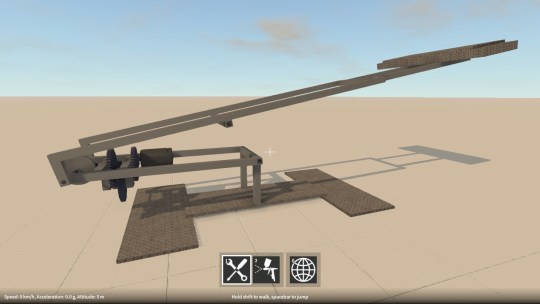
First pass of new “Desert proving ground” map for GearBlocks, this (and other maps too eventually) will replace the old procedurally generated maps.

I’ll be adding more details to this map as I go, but for right now it has a variety of terrain types (sand dunes, rocks, large and small bumps), as well as (most importantly) a large flat area to build on!

GearBlocks Demo 0.4.6034

GearBlocks Demo 0.4.6034

Unity 5 physics issues finally sorted

At long last, I have resolved all the remaining physics problems I was having with Unity 5!  As I mentioned in my previous blog post, I had solutions that I was working on for most of these issues, but the one thing I wasn’t sure about was how to fix the joint velocity drives.

Configurable joint drives

One of the things that changed from PhysX 2.X and 3.X, is the way that joint drives are configured.  They no longer have a mode flag to specify whether they are position or velocity drives.  Instead, if you want a “position drive” you set the drive’s spring value to be non-zero, if you want a “velocity drive” you set its damping to be non-zero (and if you set both to non-zero the drive behaves as a damped spring).

The question is, what non-zero value to actually use?  Nothing in the Unity or PhysX documentation seems to help much here.  I use both position and velocity drives in the game, and I want them to be constrained only by the maximum force that the drive is set to use (in other words, fully “stiff” as if the spring or damping values were effectively infinite).

So I tried setting them to float.MaxValue, but this caused some odd behaviour.  Drives configured to be “velocity drives” would not work if the rigidbody’s mass was below some threshold, and those configured as “position drives” would sometimes cause Unity to crash completely without any warning.  In the end, after some experimentation, I simply used a smaller (but still very large) value for the spring / damping settings.  This seems to work alright, although I’m somewhat concerned it could still fail in some unforeseen situations!

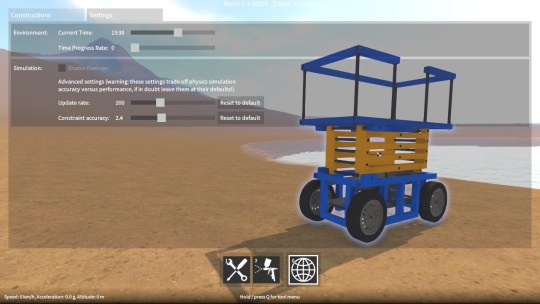
Simulation update rate

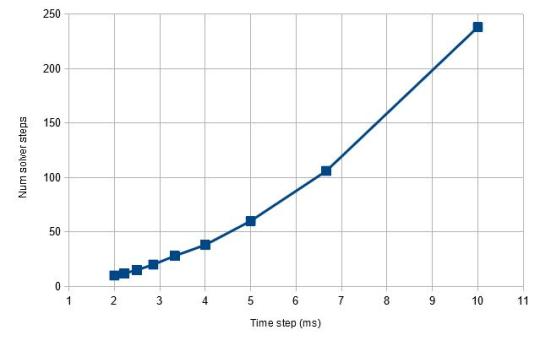
As I mentioned in the last post, swapping joint rigidbody ordering (i.e. owner vs. connected) helped a lot to improve simulation stability at high angular velocities.  Unfortunately it was still not quite enough to get back to Unity 4 / PhysX 2.8 levels of stability.  The simulation update rate also needed to be increased a bit (by reducing Time.fixedDeltaTime), at the expense of performance.  So, as a compromise, I will be exposing a setting in the game to allow the sim update rate to be adjusted.  Advanced users can change it based on the construction that they’re building, and how fast their computer is.

Last few bugs

With these issues taken care of, there’s now nothing to prevent the upgrade to Unity 5.  I’m still working on migrating away from some deprecated APIs and fixing a few remaining (non physics related) bugs, once this is done I’ll be able to put out another demo release.